
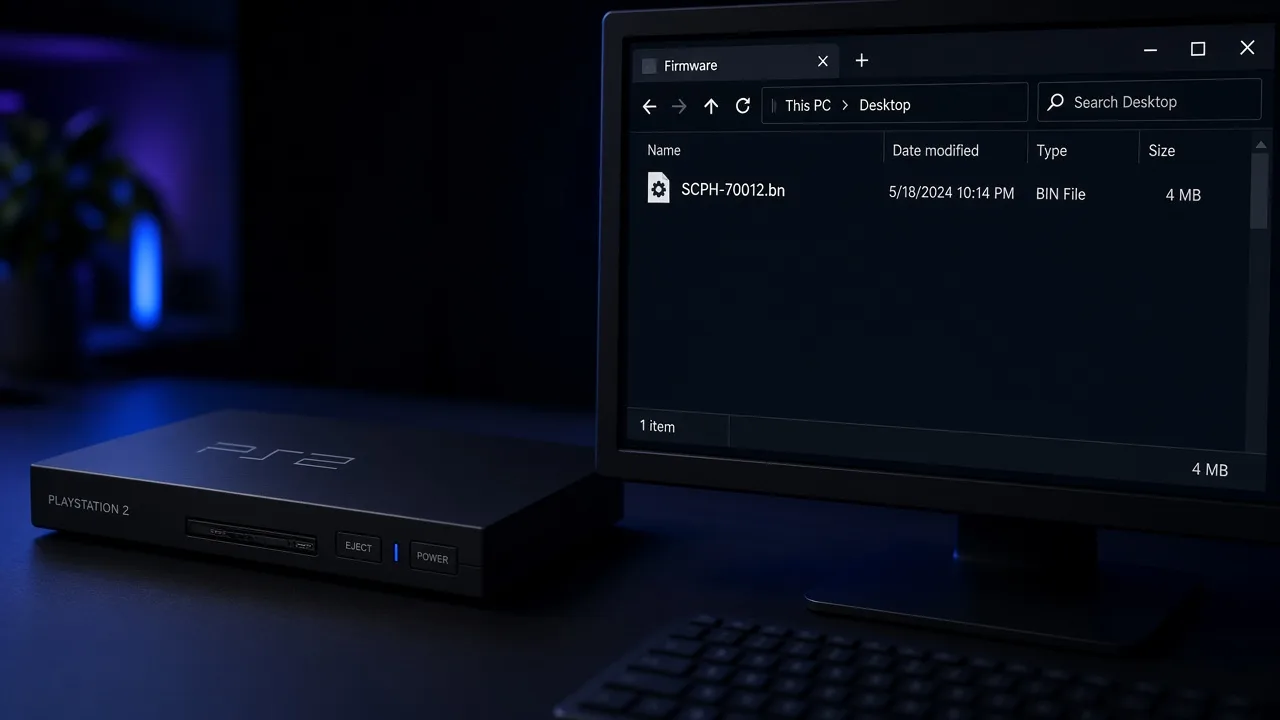
All regions · SHA-256 verified · PCSX2 & Android
PS2 BIOS Download (All Regions) for PCSX2 & Android Emulators
By HBKPublished Last updated
Quick summary
PS2 BIOS is Sony's PlayStation 2 firmware. It is about 4 MB. PCSX2, AetherSX2, and most PS2 emulators need it before any game starts. It is not a game ROM. Emulator installers do not include it.
- What it does: starts the Emotion Engine and Graphics Synthesizer, then hands a disc off to the game.
- Which region: USA SCPH-70012, Europe SCPH-70004, Japan SCPH-70000. Match your discs when you can.
- Legal copy: dump it from a PS2 you own. That takes about 20 minutes with homebrew tools. Use the same .bin in PCSX2 and on Android.
- If import fails: size must be 4,194,304 bytes. Wrong region can cause a black screen or PAL games that run too fast.
- Beginner path: BIOS vs ROM, USA SCPH-70012, and PCSX2/Android setup: which PS2 BIOS to use.
PS2 BIOS download by region
Pick the region that matches your games. Check the SHA-256 hash before you use a file. Only download if you also own a console you can dump from.
PS2 BIOS (USA) vSCPH-70012 (NTSC-U)
PCSX2 & PS2 emulators · 4 MB · No bundled installers, no adware
- SHA-256:
- c7628a01da23d7d38851aec8403e535581d0f2a781fee5b86b1c648b13a9970d
Always verify the checksum after downloading. We never repackage binaries — this is the unmodified community build.
PS2 BIOS (Europe) vSCPH-70004 (PAL)
PCSX2 & PS2 emulators · 4 MB · No bundled installers, no adware
- SHA-256:
- 8921e73006ac2c01922fcc7b76da6b9caed6b20fbd4e69f165635e18542de6ab
Always verify the checksum after downloading. We never repackage binaries — this is the unmodified community build.
PS2 BIOS (Japan) vSCPH-70000 (NTSC-J)
PCSX2 & PS2 emulators · 4 MB · No bundled installers, no adware
- SHA-256:
- c4dad3b5c6ad58bce70a47fc332602880f041c0338ac6be89061c928f6919ab1
Always verify the checksum after downloading. We never repackage binaries — this is the unmodified community build.
BIOS pack downloads (ZIP)
Extract before use. One archive can hold all three main regions.
All regions pack (ZIP) vUSA, Europe, and Japan .bin files plus CHECKSUMS
ZIP · extract .bin first · ~12 MB · No bundled installers, no adware
Always verify the checksum after downloading. We never repackage binaries — this is the unmodified community build.
USA pack (ZIP) vSCPH-70012 NTSC-U .bin + checksum file.
ZIP · extract .bin first · ~5 MB · No bundled installers, no adware
Always verify the checksum after downloading. We never repackage binaries — this is the unmodified community build.
Europe pack (ZIP) vSCPH-70004 PAL .bin + checksum file.
ZIP · extract .bin first · ~5 MB · No bundled installers, no adware
Always verify the checksum after downloading. We never repackage binaries — this is the unmodified community build.
Japan pack (ZIP) vSCPH-70000 NTSC-J .bin + checksum file.
ZIP · extract .bin first · ~5 MB · No bundled installers, no adware
Always verify the checksum after downloading. We never repackage binaries — this is the unmodified community build.
PS2 BIOS file details at a glance
Use this table before you import anything. It answers the file questions most people search for first.
| File format | .bin (extract ZIP packs first) |
|---|---|
| File size | Exactly 4,194,304 bytes (~4 MB) |
| Full pack size | About 12 MB (USA + Europe + Japan) |
| Integrity check | SHA-256 on every download card |
| Compatible emulators | PCSX2, AetherSX2, NetherSX2, RetroArch LRPS2, DamonPS2 |
| Compatible OS | Windows, macOS, Linux, Android (same .bin) |
| Compression | ZIP optional for transfer; emulator needs the raw .bin |
Before and after downloading PS2 BIOS
Before you download
- Know which region most of your games use
- Install PCSX2 or your Android emulator first
- Know where the bios folder or import screen is
- Have an unzip tool ready for ZIP packs
After you download
- Extract the archive if the file is still a ZIP
- Confirm size is 4,194,304 bytes
- Match the SHA-256 on the download card
- Import or select the .bin, then boot a light game first
PS2 BIOS guides
Start with the beginner guide, then use the Android import page if you are on a phone. More regional posts come later.
Table of Contents
What Is the PS2 BIOS?
The PlayStation 2 BIOS is built-in console firmware. It is about 4 MB of code on a chip inside every PS2.
It starts the CPU and graphics hardware. It shows the disc browser and system menus. It handles memory cards. When you insert a game, the BIOS hands control to that disc.
Sony owns this code. It is tied to a region. You are expected to dump it from a console you own, not share random downloads.
What the PS2 BIOS actually does
- Hardware init: brings up the Emotion Engine and Graphics Synthesizer before a game runs
- Memory cards: mounts virtual cards so in-game saves work in the emulator
- Controller input: prepares DualShock-style pads during boot
- System settings: language, clock, and region timing the console expected
PS2 BIOS vs PS2 ROM (or ISO)
BIOS is firmware. ROM (or ISO/CHD) is the game. Emulators need both. A huge “PS2 pack” of ISOs still will not boot without a working .bin.
Quick size check: about 4 MB is BIOS. Hundreds of megabytes or more is almost always a game. Full beginner walkthrough: which PS2 BIOS to use.
Why emulators need PS2 BIOS
Emulators rebuild PS2 hardware in software. They still need Sony's boot code. Without a BIOS file, there is nothing to start the system before a game loads. That is why you see “BIOS not found.”
Older consoles often boot games directly. The PS2 does more work in firmware. Memory cards, disc checks, and system settings all depend on it. Skipping the BIOS is not an option for accurate play.
Which PS2 BIOS should you use?
Match the BIOS region to your games. Do not pick a file only because the SCPH number looks newer.
- Mostly USA or English NTSC rips → USA SCPH-70012
- Mostly Europe or Australia → Europe SCPH-70004 (PAL)
- Mostly Japanese imports → Japan SCPH-70000
Can you use more than one BIOS?
Yes. PCSX2 can store several dumps. Switch in Settings when you change regions. On Android, import each dump once, then pick the matching file per game set.
Is a newer SCPH always better?
No. Region and a clean 4,194,304-byte dump matter more than a higher model number. Slim and fat USA dumps in the same region family behave alike for most libraries.
Deeper USA names, PCSX2 folder steps, and BIOS vs ROM: . which PS2 BIOS to use.
NTSC-U vs PAL vs NTSC-J: What Actually Differs
Each BIOS file is a dump from one real console. That console was sold in a region. The firmware runs at 50 Hz (PAL) or about 60 Hz (NTSC). The filename includes a model such as SCPH-70012.
Games expect matching timing. Using the wrong region can change speed, audio pitch, or region locks.
| Market | Typical model | Video | Guest refresh |
|---|---|---|---|
| USA / Canada | SCPH-70012 | NTSC-U | ~59.94 Hz / 480i |
| Japan | SCPH-70000 | NTSC-J | ~59.94 Hz / 480i |
| Europe / Australia | SCPH-70004 | PAL | 50 Hz / 576i |
| China / HK (niche) | SCPH-50009 / 70006 | NTSC-C / variants | Dump from your console |
50 Hz PAL versus 60 Hz NTSC
PAL games use 50 Hz timing. NTSC firmware pushes 60 Hz. Many PAL titles then run about 20% too fast with higher-pitched music.
That also happened on real PS2 hardware when regions mixed. Fix it with a PAL BIOS for European discs. For USA dumps, see USA SCPH-70012 notes.
Black bars on PAL games
PAL picture height is 576 lines. NTSC is 480. Many PAL ports added black bars at the top and bottom. No BIOS setting removes that padding.
One BIOS for a mixed library
For mostly USA games, start with SCPH-70012. For mostly European games, use SCPH-70004. PCSX2 can store several dumps and switch in settings.
Files that are not BIOS
Do not use PS1 BIOS files, tiny placeholder files, or game ISOs renamed as BIOS. The main dump must be 4,194,304 bytes.
Optional extras like ROM1 or EROM are not required for most games. More detail: PCSX2 BIOS wiki.
Emulators that require a PS2 BIOS
- PCSX2 (Windows, macOS, Linux). Copy the .bin into the bios folder. See PCSX2 BIOS setup.
- AetherSX2 / NetherSX2 (Android). Same .bin. Phone import steps: AetherSX2 BIOS setup.
- RetroArch LRPS2 Place BIOS files in the core system folder.
- DamonPS2 and similar Android apps. Same regional dump; only the in-app path changes.
- Play! can run some titles without BIOS, but compatibility is lower.
Dump your own PS2 BIOS (recommended)
Dump firmware from a PS2 you own with Free McBoot and a BIOS dumper. Plan about 20 minutes. Keep the file at 4,194,304 bytes after you copy it.
Prefer a personal dump over random packs. Then verify size and SHA-256 before you import into PCSX2 or pick a region with our which BIOS guide. which PS2 BIOS to use.
Is downloading PS2 BIOS legal?
The PS2 BIOS is proprietary Sony firmware. In most countries, downloading someone else's dump is copyright infringement, even if you own discs or a console.
The safest path is a personal dump from hardware you own. PCSX2 documentation also tells users to create their own BIOS backup. This page lists files and checksums for people who already have a legal right to the firmware under their local law. Follow the rules where you live.
How to install PS2 BIOS in PCSX2
- Copy your SCPH-XXXXX.bin into the PCSX2 bios folder. The path is shown in the app settings.
- Open Settings, then BIOS. Select your file. It should appear as enabled in the list.
- Pick a region that fits your game library.
Screenshots: PCSX2 BIOS import. PCSX2 BIOS setup.
How to install PS2 BIOS on Android
Use the same regional .bin you would use on PC. Copy it to the phone, open AetherSX2 or NetherSX2, then import through the app BIOS screen.
Full tap-by-tap guide: AetherSX2 BIOS setup. downloads: downloads.
PS2 BIOS file format (.bin, 4 MB, ZIP)
A valid dump is one regional .bin file. People search for a ps2 bios file download, bios file for ps2, or ps2 bios bin. The size check is simple: ps2 bios 4mb means exactly 4,194,304 bytes.
Prefer ZIP only for transfer. Searches like bios pack ps2, ps2 bios zip, playstation 2 bios pack, and bios ps2 pack still end the same way: extract, then import the raw firmware. An all ps2 bios folder is still a set of .bin files, not games.
Forum talk about the latest bios ps2 usually means a slim-era dump, not a new Sony release. Ps2 slim bios matches fat BIOS when the region matches. Ps2 console bios is that same chip dump.
Sony PlayStation 2 BIOS downloads
Head terms such as ps2 bios, bios for ps2, bios download ps2, and ps2 bios download all point here. Brand wording (bios playstation 2, sony ps2 bios, download bios playstation 2) still means the same regional firmware.
Free ps2 bios links are common online. Treat them like any other copy: prefer a dump from hardware you own, and verify size plus SHA-256 before import. Skip random cool bios ps2 reposts with no checksums.
PS2 BIOS download for PC (PCSX2)
Desktop searches include ps2 bios download for pc, ps2 bios file download for pc, bios ps2 for pc, and the typo pcs2 bios download. The install path is the PCSX2 bios folder above.
RetroArch LRPS2 uses the same dump in the core system folder. Playstation 2 emulator bios always means firmware, never a game ISO.
English and NTSC USA BIOS
USA firmware covers ps2 bios ntsc, ps2 bios english, bios ps2 america, and ps2 bios america queries. SCPH-70012 fits most North American libraries. Details: USA SCPH-70012 section. USA SCPH-70012 notes.
Android and mobile BIOS file
Mobile queries include bios ps2 android, ps2 bios download android, and bios for ps2 android. The file is the same .bin as on PC. Download on this page. Import steps live on our AetherSX2 BIOS setup.
Android PS2 emulators use this same download. Phone import steps are on the guide linked above.
Avoid “apk with bios” bundles. Sony firmware is not shipped inside a legal emulator APK.
DamonPS2 and other apps
Damon searches (damon ps2 bios, bios for damon ps2, damon ps2 pro bios) use the same regional .bin. Only the in-app import path changes.
Game titles are not PS2 BIOS files
Mixed searches like bios game ps2, ps2 bios games, or ps2 games download bios still need one console BIOS plus separate game ISOs.
Title queries such as gta san andreas bios ps2 or dragon ball budokai tenkaichi 3 bios download point to game rips, not PlayStation 2 system firmware.
Common search typos
Typos like pa2 bios, p2 bios, bios ps 2, ps2e bios, and ppsstwo bios still mean PlayStation 2 firmware. Bios ps2 ppsspp is a mismatch: PPSSPP is PSP, not PS2.
Also skip custom bios hacks and random mirror dumps with no hash. Use a verified SCPH file from hardware you own, or match the SHA-256 on this page.
Common BIOS errors and how to fix them
BIOS not found or invalid
Confirm the file is 4,194,304 bytes. Extract ZIP archives first. Point the emulator at the .bin, not the ZIP and not a game ISO.
Black screen after loading a game
Try a matching regional BIOS. Then check renderer settings and whether the ISO itself is truncated. Audio with a black frame is often graphics-related, not a missing BIOS.
Region mismatch (speed or pitch)
PAL games on USA firmware often run fast with higher-pitched music. Switch to Europe SCPH-70004 for those discs. USA notes: SCPH-70012 guide.
Lag and stuttering
BIOS region rarely causes FPS drops by itself. Drop internal resolution, enable MTVU on PCSX2 when safe, and close background apps. Heavy titles need stronger hardware, not a different SCPH number.
Controller not detected
Map the pad in emulator settings after BIOS import. A valid BIOS does not auto-bind every Bluetooth controller.
Tips for better PS2 emulator performance
- Match BIOS region to the game region first
- Keep BIOS files in a dedicated folder with clear SCPH names
- Use a current stable PCSX2 or AetherSX2/NetherSX2 build
- Start at 2x internal resolution, then raise only if FPS holds
- Prefer Vulkan when your GPU drivers support it well
- On Android, use a high-performance power mode for long sessions
- Test a lighter RPG before heavy titles like God of War
Frequently Asked Questions
Is downloading a PS2 BIOS legal?
In most places, no. The BIOS is Sony firmware. Downloading someone else's dump is copyright infringement even if you own a console. Dump it yourself from hardware you own. Free tools like FreeMCBoot plus a BIOS dumper take about 20 minutes.
Which BIOS region should I use?
Match your games when you can. USA uses SCPH-70012 (NTSC-U). Europe uses SCPH-70004 (PAL). Japan uses SCPH-70000 (NTSC-J). A mixed English library often works with a USA dump. PAL games may run fast on USA firmware.
Which version should a beginner download?
Start with USA SCPH-70012 if most of your games are North American or English NTSC rips. It is the most common beginner choice for PCSX2 and AetherSX2.
What is the size of a PS2 BIOS file?
About 4 MB per region. A valid dump is exactly 4,194,304 bytes. Our all-regions ZIP pack is about 12 MB before extract.
Do these files work on both PCSX2 and AetherSX2?
Yes. The same regional .bin works on PCSX2 (PC) and AetherSX2 or NetherSX2 (Android). Only the import path changes.
What should I do if the file is in ZIP format?
Extract it first with 7-Zip, WinRAR, or your OS unzip tool. Emulators cannot load a BIOS that is still inside a ZIP.
Why does my PAL game run too fast on a USA BIOS?
PAL games target 50 Hz. USA firmware runs 60 Hz. Many titles then play about 20% faster with higher-pitched audio. Use a PAL BIOS for those discs, or accept the speedup.
What causes black bars on PAL games?
PAL video is taller (576i) than NTSC (480i). Many ports added black bars instead of resizing the picture. That is normal for those games, not a broken BIOS file.
Why does PCSX2 say BIOS not found or invalid?
Check file size. A real dump is exactly 4,194,304 bytes. Smaller files are incomplete. Extract ZIP archives before copying into the bios folder.
Can I use a slim PS2 BIOS instead of a fat PS2 BIOS?
Yes, if the region matches. Slim and fat consoles use the same regional families. Emulators care about USA, PAL, or Japan, not shell shape.
What is a PS2 BIOS ZIP pack?
A ZIP with one or more regional .bin files. Extract on your PC, then copy the files into PCSX2's bios folder. Emulators cannot read BIOS still inside the archive.
Do I need a separate BIOS for each game?
No. One firmware dump per region is enough. Games are ISO or CHD files. They are not BIOS replacements.
Do I need a China or Hong Kong BIOS?
Only for discs sold in those markets. Most players use USA, PAL, or Japan dumps.
How do I verify the download is intact?
Confirm the file is exactly 4,194,304 bytes, then match the SHA-256 hash printed on each download card on this page.