12 Archived Builds · Alpha to v1.5-4248
AetherSX2 Older Versions: The Complete Archive
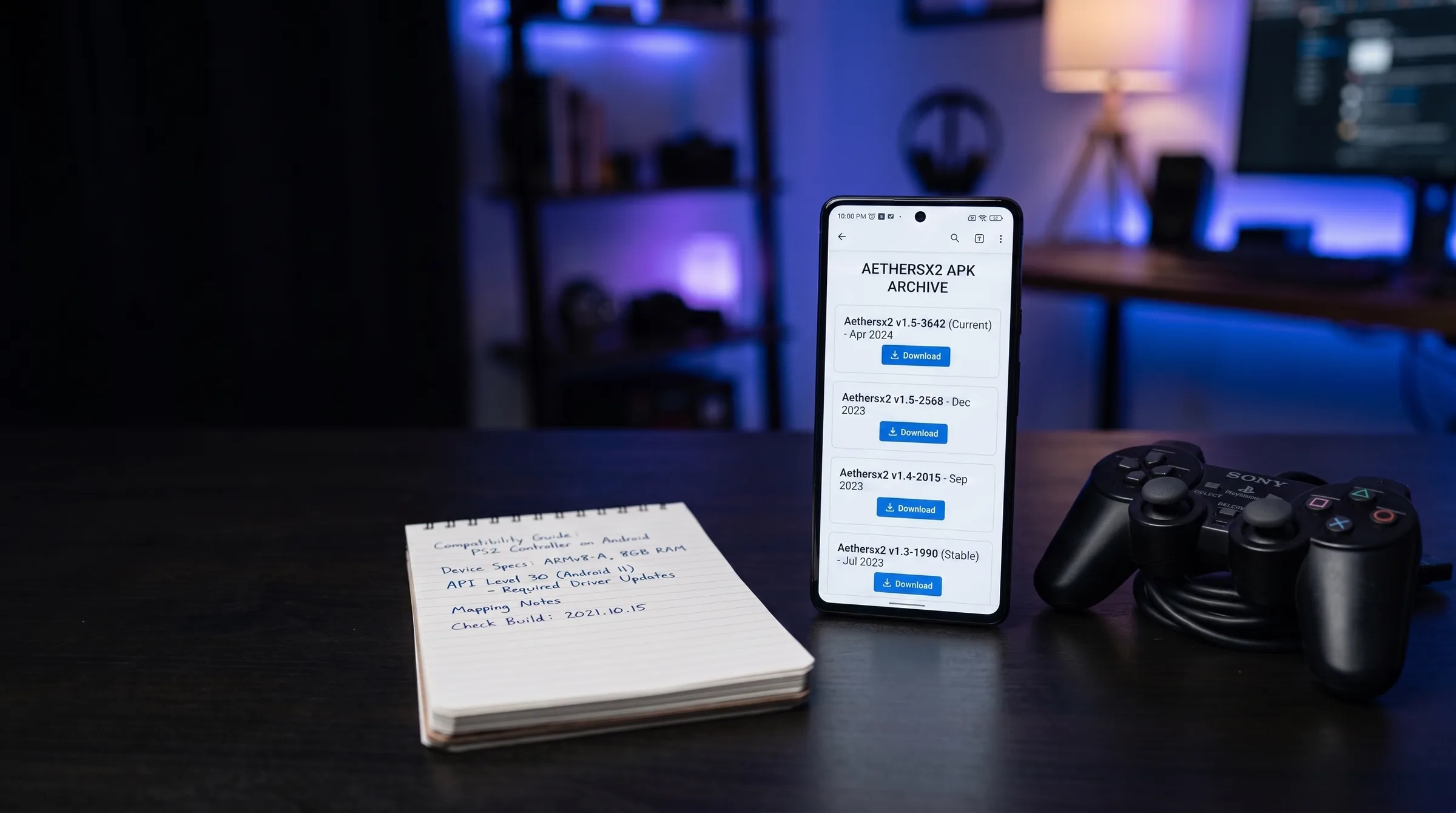
Welcome to the complete **AetherSX2 APK Archive**. This repository preserves 12 official release builds spanning the software's complete lifecycle: from early 2021 alpha snapshots to the final 2023 release (v1.5-4248).
While standard Android app updates usually improve performance, PS2 emulation on mobile hardware is complex. GPU driver updates, thermal behavior changes, and renderer refactors mean that an older build may actually run significantly faster on your specific phone or tablet than the final build. Every file in our archive is cryptographically SHA-256 verified and hosted directly on our servers for instant 1-click downloading. Before downgrading, read about checkpoint saves explained and how snapshots differ from memory-card files across builds.
Which Older Version Should You Choose?
Selecting the ideal archived build depends on three hardware factors: your processor chipset (Snapdragon vs MediaTek vs Exynos), your GPU graphics driver, and your Android OS version:
Qualcomm Snapdragon (Adreno GPU)
Recommended Build: v1.5-4248 (Patched to NetherSX2)
Snapdragon processors with Adreno GPUs handle Vulkan low-overhead rendering flawlessly. Build 4248 provides maximum Vulkan optimization and 95%+ game compatibility.
MediaTek Dimensity / Exynos (Mali GPU)
Recommended Build: v1.5-3668
Mali GPUs often suffer from texture corruption on build 4248 Vulkan drivers. Build 3668 is widely regarded as the most stable release for Dimensity 1200 / 8100 / 9000 chips.
Legacy Devices (Android 8 / 9, 3 GB RAM)
Recommended Build: v1.4-3064
The 1.4 series predates heavy UI additions and memory overhead. Build 3064 offers ultra-lightweight execution that runs smoothly on modest quad-core phones.
Ad-Free Native Experience
Recommended Build: v1.4-3064 or NetherSX2 Patch
Builds released prior to build 3668 contain zero advertising code natively. Alternatively, applying the NetherSX2 patch to 4248 removes all ads while retaining 2023 speed fixes.
Archived Build Catalog by Development Series
1.5 line: the mature series (2023)
The final and most-compatible AetherSX2 builds. Best for modern Snapdragon phones and the target of the NetherSX2 patch.
Latest / Final Build
AetherSX2 v1.5-4248
The final and latest build — best for Snapdragon and Adreno phones.
Read full guide & download →
July 2023
AetherSX2 v1.5-3668
The last ad-free official build — the community favourite for Mali GPUs.
Read full guide & download →
July 2023
AetherSX2 v1.5-3605
A stable mid-1.5 build — a great fallback for per-device troubleshooting.
Read full guide & download →
1.4 line: the light and stable era (late 2022 – early 2023)
The recommended era for older phones and Android 9 devices. Predates every ad-related change.
1.3 line: pre-1.4 polish (October 2022)
Lightweight builds that ran well on entry-level hardware of the time.
1.2 line: mid-development (September 2022)
Fast, small builds; smaller compatibility list. Useful mainly for lighter titles and adjacent-build troubleshooting.
1.1 line: early public (July 2022)
Early public releases. Historical value, real use on very old phones.
1.0 line: the first stable release (June 2022)
The moment AetherSX2 crossed from alpha into a public 1.0.
Alpha builds: the earliest snapshots (2021 – early 2022)
Archival snapshots of AetherSX2 as it looked before its first stable release. For curiosity and preservation.
May 2022
AetherSX2 alpha-2230
The final alpha build — captures the emulator just before its 1.0 public launch.
Read full guide & download →
December 2021 – early 2022
AetherSX2 alpha-654
One of the very earliest builds — a genuine historical artefact from AetherSX2's launch.
Read full guide & download →
Step-by-Step Downgrade & Installation Guide
Because Android security policies prevent installing an older APK build on top of a newer build, follow these instructions to downgrade safely without losing your saves or BIOS settings:
- Step 1: Backup Your Memory Cards & Save States
Open your Android File Manager and copy your virtual memory cards folder (`Android/data/xyz.aethersx2.android/files/memcards/`) to your `Documents` or SD Card folder. - Step 2: Uninstall Current AetherSX2 Version
Long-press the AetherSX2 app icon on your home screen and tap **Uninstall**. (Your game ISOs and BIOS files remain completely intact). - Step 3: Download Target Archived APK
Select your desired version from the catalog above and tap **Read Guide & Download**. Download the verified `.apk` file directly to your phone. - Step 4: Enable Unknown App Installation
Go to Android **Settings ➔ Security & Privacy ➔ Install Unknown Apps**, select your File Manager app, and enable **Allow from this source**. - Step 5: Install & Re-Import BIOS
Tap the downloaded `.apk` file to install. Open AetherSX2, tap **Settings ➔ BIOS ➔ Import BIOS**, and select your `SCPH-70012.bin` file. Restore your memory cards folder if needed.
SHA-256 Checksum Security Verification
Security and file integrity are paramount when downloading archived software. Every APK hosted on our servers includes its official **SHA-256 cryptographic hash**.
Before installing any downloaded APK, you can verify its hash using free Android apps like *Hash Checker* or via Terminal (`sha256sum filename.apk`). If the calculated hash matches the published hash on our version pages character-for-character, you have 100% guarantee that the binary is original, unmodified, and clean.
Frequently Asked Questions
Which AetherSX2 older version is best for my phone?
It depends on your phone's GPU architecture. For Qualcomm Snapdragon phones (Adreno GPU), v1.5-4248 (the final build) patched with NetherSX2 is optimal. For MediaTek Dimensity or Exynos phones (Mali GPU), build v1.5-3668 is widely considered the most stable. For older phones running Android 8 or 9 with 3 GB RAM, v1.4-3064 is the lightest full-featured release.
Are older AetherSX2 versions safe to install in 2026?
Yes, provided you verify the SHA-256 checksum of the APK file before installing. Every archived APK hosted on our server is cryptographically verified against the original developer hashes to ensure zero tampering, adware, or malware.
Do older versions use the same PS2 BIOS file?
Yes. A BIOS file dumped from your PlayStation 2 console works identically across every AetherSX2 build ever released, as well as in NetherSX2 and PCSX2. You only need to import your BIOS once.
Can I install an older version over a newer one?
No. Android's package installer blocks installing an older version on top of a newer build. You must uninstall the current build first. Your BIOS files, memory cards, and game ISOs are stored separately in your internal storage and will remain completely safe.
Why were ads added to build 4248 and how do I remove them?
In early 2023, development halted and banner ads were added to build 4248. The community created the NetherSX2 patch, which modifies build 4248 or 3668 to strip all banner ads, restore missing features, and update GameDB compatibility files.
Will my save states work if I downgrade to an older version?
Virtual memory card files (.gme / .ps2) work across all versions seamlessly. However, instant save-state snapshots (.sstate) are version-specific and may crash if loaded into a different build line.
What is the difference between alpha builds and 1.5 releases?
Alpha builds (2021) were early experimental ARM64 ports lacking touch overlay customization and widescreen patches. The 1.5 release series (2023) features mature Vulkan rendering, full controller auto-mapping, and 95%+ game compatibility.
How many archived builds are available here?
We host 12 distinct archived builds spanning the alpha, 1.0, 1.1, 1.2, 1.3, 1.4, and 1.5 development lines. Every build includes its own dedicated guide with SHA-256 hashes, device recommendations, and direct 1-click downloads.