aethersx2 vs nethersx2
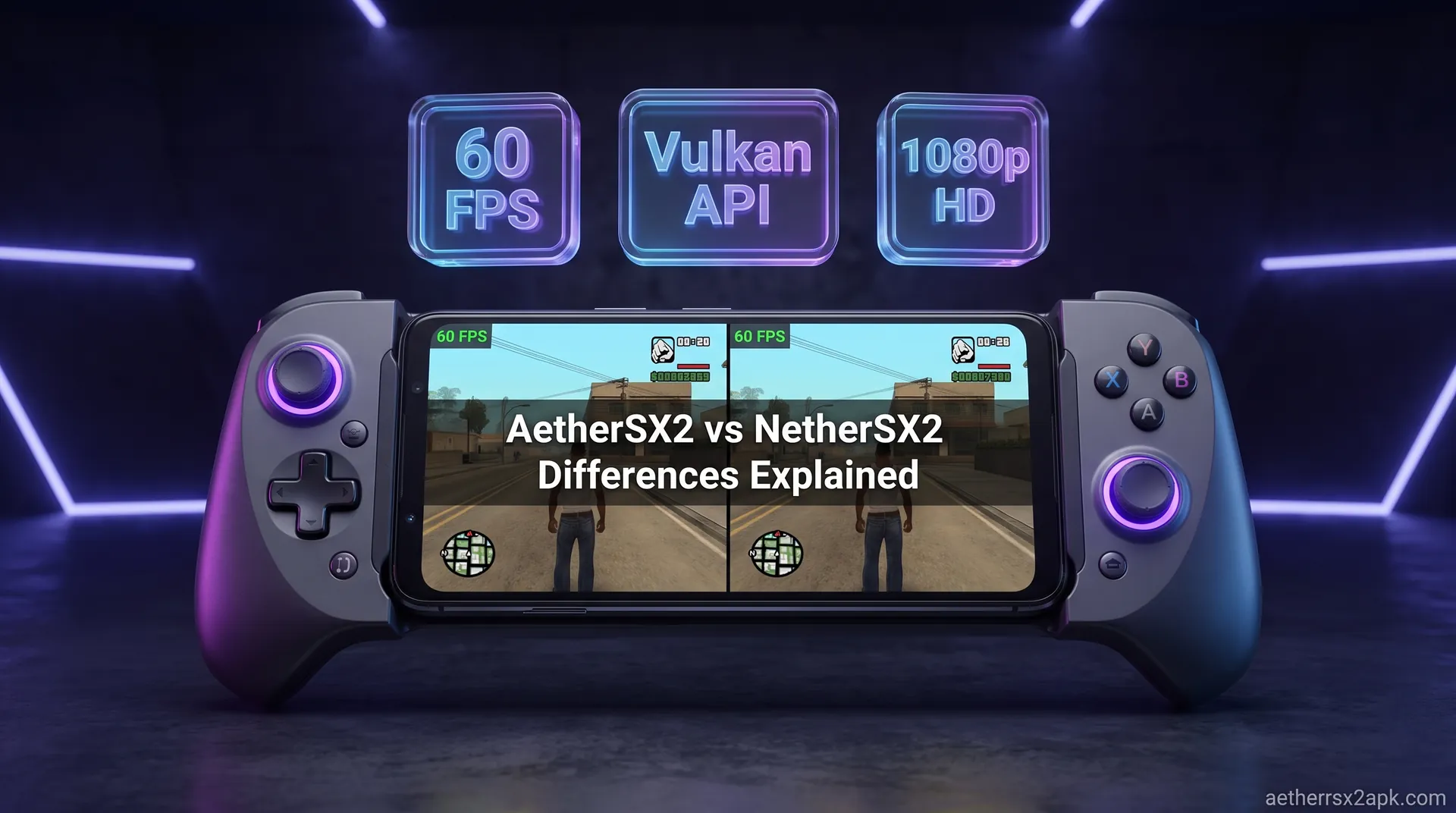
AetherSX2 vs NetherSX2 Differences Explained
By HBKPublished Last updated
Quick summary
NetherSX2 is a community patch of the frozen AetherSX2 v1.5-4248 APK: same PCSX2-derived core, ads removed, compatibility fixes added. It is not a new emulator and not a PC build.
- Same: BIOS, CHD, Vulkan/OpenGL, .ps2 cards, per-game CRC settings
- Different: no ads, patcher updates, some game fixes AetherSX2 never shipped
- Use in 2026: NetherSX2 as the daily Android APK
- Not: MMJ/ARMSX2 unsigned mods, and not PCSX2 on desktop
When it comes to PlayStation 2 emulation on Android devices, the landscape has seen incredible highs and dramatic shifts over the last few years. If you are diving into mobile retro gaming today, you are immediately faced with a critical choice: AetherSX2 or NetherSX2?
To the untrained eye, these two applications look almost identical. They share the same user interface, they boast the same core performance, and they require the same hardware capabilities to run games at full speed. However, beneath the surface, the difference between AetherSX2 and NetherSX2 represents a fascinating story of brilliant solo development, community backlash, and open-source preservation.
In this comprehensive guide, we will break down the exact technical differences, explore the history of both projects, compare their features side-by-side, and give you a definitive answer on which build to grab from the download hub for your Android device in 2026. Whether you are a casual gamer looking to replay Grand Theft Auto: San Andreas or a hardcore emulation enthusiast trying to squeeze every frame out of God of War II, this guide will explain everything you need to know about the AetherSX2 vs NetherSX2 debate.
On this page ▾
If you just want to know which one to download right now without reading the technical deep dive, here is the bottom line: You should use NetherSX2.
For 99% of users, NetherSX2 is objectively the better choice in 2026. While both emulators rely on the exact same underlying emulation engine (meaning raw game performance is identical), NetherSX2 provides a significantly better user experience.
NetherSX2 takes the final official release of AetherSX2 and systematically removes all the advertisements that were controversially added at the end of its life. Furthermore, it restores support for popular frontend launchers like Daijishō and Pegasus, adds community-driven game patches to fix visual glitches in specific titles, and removes the telemetry and tracking mechanisms present in the final AetherSX2 build.
If you want the purest, most user-friendly, and most up-to-date PS2 experience on Android, download NetherSX2. Keep standard AetherSX2 only if you are doing specific regression testing or maintaining a digital archive of emulation history.
What Is AetherSX2?
To understand why NetherSX2 exists, you must first understand the monumental achievement: and eventual tragedy: of AetherSX2.
Before December 2021, PlayStation 2 emulation on Android was in a dismal state. The only notable option was DamonPS2, a closed-source, heavily monetized app that was widely condemned by the emulation community for stealing open-source code from the desktop PCSX2 project and locking standard features behind paywalls and invasive DRM. The community desperately needed a legitimate, open-source alternative.
Enter AetherSX2. Developed by a solo programmer known by the handle "Tahlreth," AetherSX2 was a miracle. Tahlreth took the venerable desktop PCSX2 emulator and meticulously ported it to Android, rewriting the dynamic recompiler (Dynarec) to work flawlessly with ARM-based mobile processors (Snapdragon, MediaTek, Exynos). The result was staggering. For the first time, mid-range and high-end Android phones could run demanding PS2 games at 60 frames per second, upscaled to 1080p or higher.
AetherSX2 was completely free, featured zero ads, and was officially sanctioned by the PCSX2 development team. It was hailed as the savior of mobile PS2 emulation. For over a year, Tahlreth pushed out rapid updates, fixing bugs, optimizing rendering for Mali GPUs, and adding highly requested features like per-game settings and touchscreen macro controls.
The Downfall of AetherSX2
Unfortunately, the immense popularity of the app brought extreme pressure. Tahlreth, acting as a solo developer, was bombarded with thousands of emails, messages, and demands from users. Many of these users possessed low-end, budget devices and continuously harassed the developer, demanding that he optimize the emulator to run Shadow of the Colossus on five-year-old hardware: an impossible task given the sheer complexity of the PS2's Emotion Engine architecture.
The harassment escalated to death threats and constant abuse on platforms like Reddit and Discord. Exhausted and disillusioned, Tahlreth announced the indefinite suspension of AetherSX2 development in early 2023.
In August 2023, a final update (version 1.5-4248) was pushed to the Google Play Store. Controversially, this final version included an ad banner at the bottom of the main menu, removed frontend support, and seemingly passed control of the app to an unknown entity. This marked the official end of AetherSX2 as the community knew and loved it, forcing users to look for older versions of AetherSX2 to avoid the ads.
What Is NetherSX2?
When the final, ad-supported version of AetherSX2 dropped, the emulation community was left in a difficult position. The core emulation was still the best on Android, but the user experience had been compromised. Since AetherSX2 was closed-source (only the underlying PCSX2 code was open-source, not the Android UI wrapper), nobody could simply fork the code and compile a new version.
This is where the ingenuity of the Android modding community shone through, resulting in NetherSX2.
NetherSX2 is not a traditional emulator built from scratch, nor is it a standard code fork. Instead, NetherSX2 is a community-created patch that modifies the final official AetherSX2 APK. Using a process called xdelta patching, developers reverse-engineered the compiled AetherSX2 application to strip out the undesirable elements introduced in the final build.
The goals of the NetherSX2 project were simple yet crucial:
- Remove all advertisements and tracking code introduced in version 1.5-4248.
- Restore frontend compatibility so users could launch games seamlessly from apps like Daijishō or LaunchBox.
- Update game compatibility databases with new community fixes for graphical glitches and crashes.
- Resign the APK so it could be installed easily without conflicting with the official Play Store version.
Because NetherSX2 is distributed as a patch script (which users apply to a legally obtained AetherSX2 APK) or as pre-patched binaries provided by the community, it completely bypasses the roadblocks left by the original developer's departure. It is a testament to the preservationist spirit of the emulation scene, ensuring that the incredible work done by Tahlreth remains pure and usable for years to come.
AetherSX2 vs NetherSX2: Feature Comparison
To make the choice as clear as possible, let's look at a head-to-head comparison of the final official AetherSX2 (v1.5-4248) and the latest NetherSX2 build.
| Feature / Aspect | Official AetherSX2 (v1.5-4248) | NetherSX2 (Latest Patch) |
|---|---|---|
| Emulation Core | ARM-ported PCSX2 (August 2023) | ARM-ported PCSX2 (August 2023) |
| In-App Advertisements | Yes (Banner ads on menus) | No (Completely ad-free) |
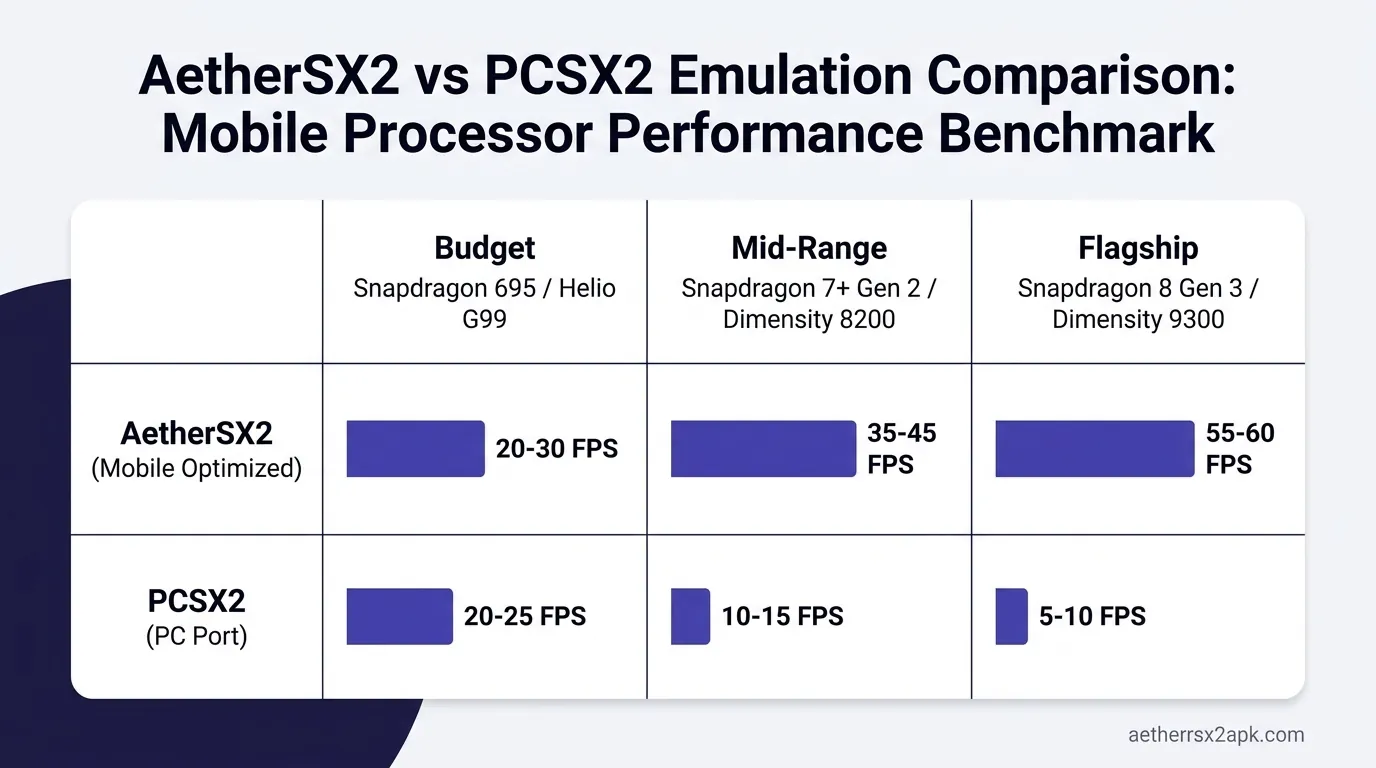
| Raw Performance / FPS | Identical | Identical |
| Frontend Support | Broken (Intent launching removed) | Restored (Works with Daijishō, etc.) |
| Game Fixes / Widescreen | Outdated (As of Aug 2023) | Regularly updated via community |
| Controller Support | Excellent | Excellent (with custom mapping fixes) |
| Google Play Protect | Verified | May trigger false flag (due to resigning) |
| PS2 BIOS Requirement | Required | Required |
| Active Development | Dead (Abandoned by creator) | Active (Maintained by community) |
| Telemetry / Tracking | Yes (Crashlytics, Ad tracking) | Removed (Privacy focused) |
As the table clearly shows, NetherSX2 takes everything good about the final AetherSX2 release and strips away all the negative additions, while also implementing continuous quality-of-life improvements.
Are They the Same Emulation Core?
A common misconception among newcomers is that NetherSX2 is a completely new emulator that might perform differently: either better or worse: than AetherSX2. This is false.
When comparing AetherSX2 vs NetherSX2 purely on emulation performance, it is a perfect tie. They are functionally the exact same emulator when it comes to rendering graphics, processing PS2 logic, and outputting audio.
The Technical Reality of the ARM Port
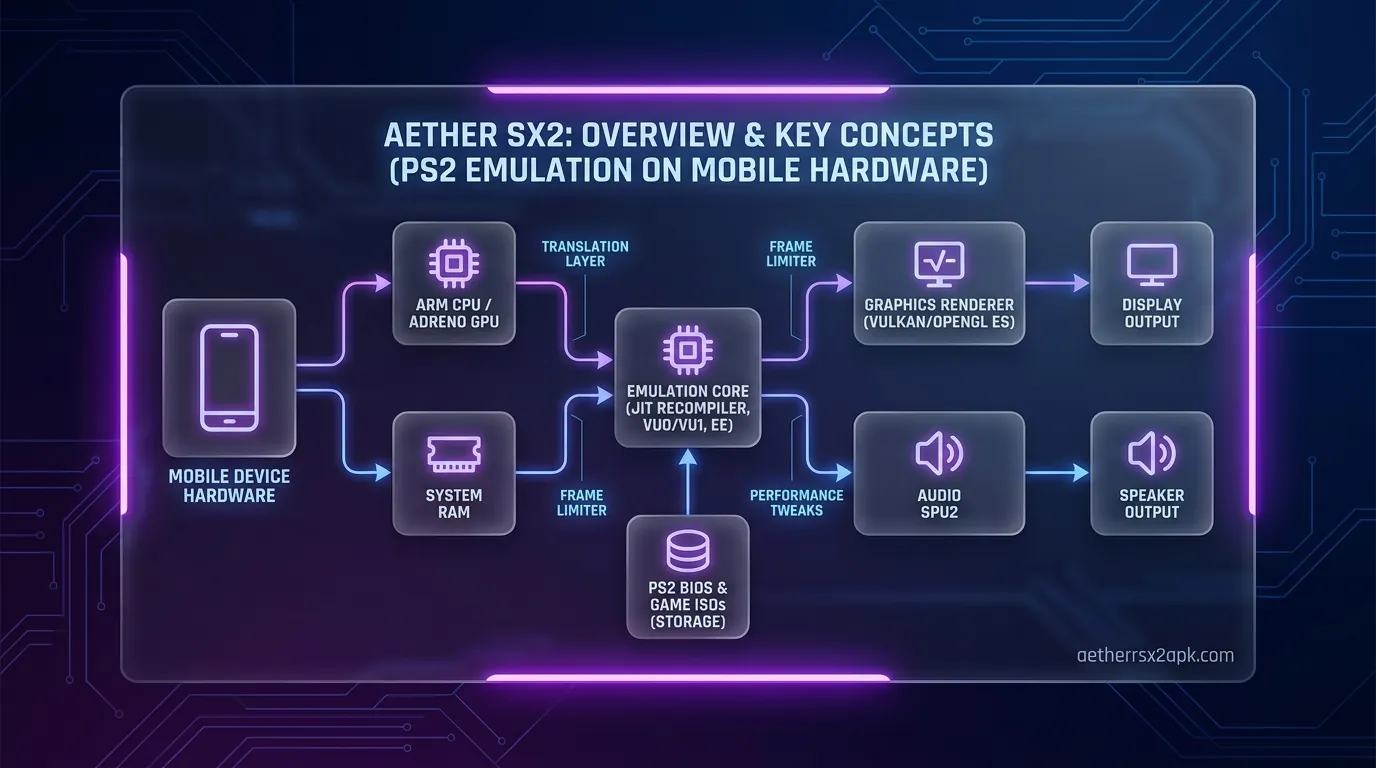
The "brain" of both apps is a highly customized version of PCSX2. The PlayStation 2 utilized a notoriously complex architecture, featuring the MIPS-based Emotion Engine (EE), the Vector Units (VU0 and VU1), and the Graphics Synthesizer (GS). Translating this complex web of proprietary hardware instructions into something a modern ARM smartphone processor (like a Snapdragon 8 Gen 2) can understand requires a Dynamic Recompiler (Dynarec).
Tahlreth spent months writing this ARM64 Dynarec for AetherSX2. Because AetherSX2 is closed-source, the NetherSX2 team cannot alter this core recompilation engine. They cannot optimize the emulator to run faster on Mali GPUs, nor can they fix deep-rooted emulation bugs that require changes to the Emotion Engine timing.
If a specific game runs at 45 FPS on AetherSX2 on your phone, it will run at exactly 45 FPS on NetherSX2. The difference between aethersx2 and nethersx2 lies entirely in the "wrapper": the user interface, the menus, the external integrations, and the configuration files that sit on top of that emulation core.
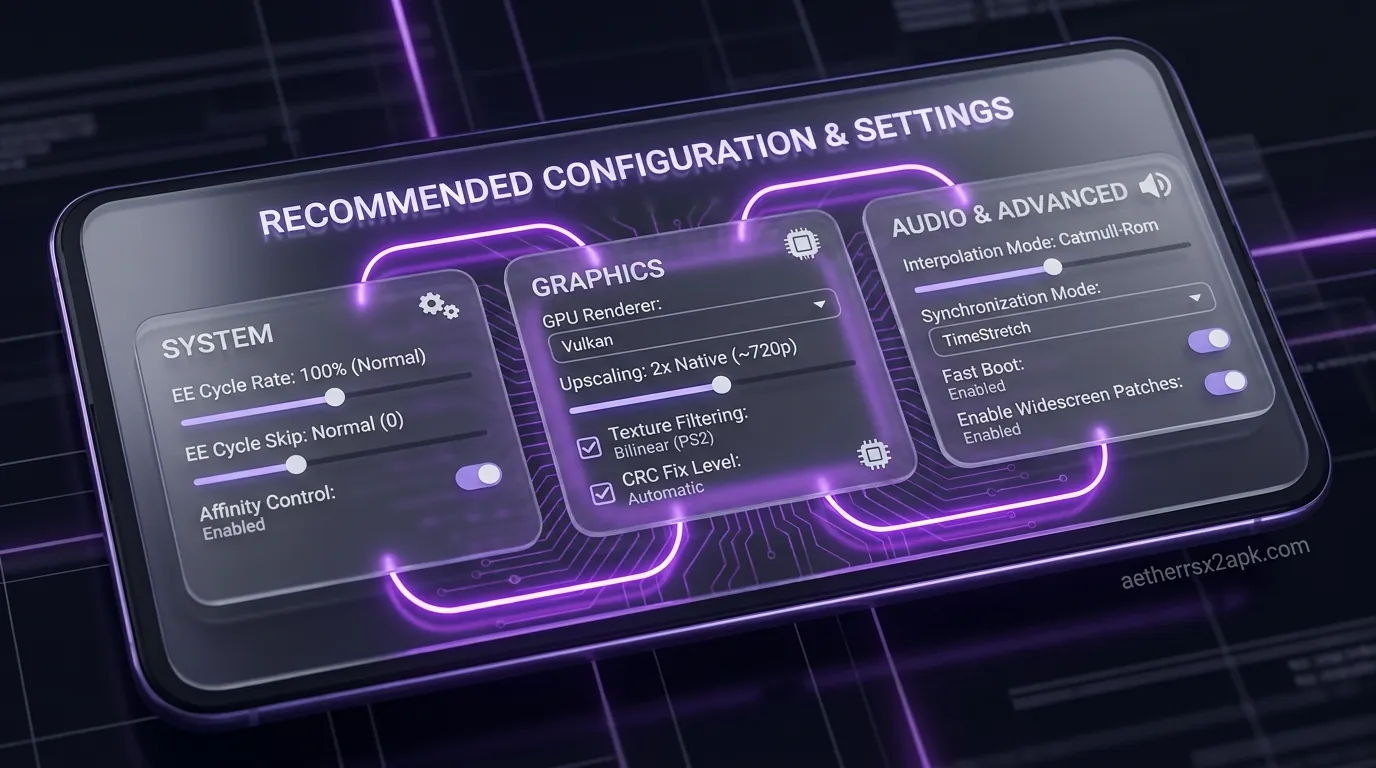
To get the best performance out of either emulator, you need to rely on tweaking specific settings rather than hoping one app is magically faster than the other. (Check out our guide on the best settings for maximum performance to learn how to utilize underclocking and cycle skipping).
Key Differences Explained In Detail
If the core performance is identical, why should you go through the trouble of switching to NetherSX2? Let's dive deep into the specific differences that make NetherSX2 the superior choice.
1. The Eradication of Advertisements
The most jarring change in the final AetherSX2 update was the introduction of banner ads. When you navigate the game grid or the settings menu in version 4248, a Google AdMob banner sits at the bottom of the screen. While these ads do not display during actual gameplay, they are considered highly intrusive by the community. They consume small amounts of background data, ruin the clean aesthetic of the app, and represent a broken promise from the early days of development.
NetherSX2 completely removes these ad modules. The xdelta patch surgically alters the APK to delete the AdMob dependencies, ensuring a pristine, ad-free UI that respects your screen real estate and your data plan.
2. Restoration of Frontend Support (Android Intents)
For users who build massive retro gaming libraries, frontend launchers are essential. Apps like Daijishō, Pegasus, LaunchBox, and RESET Collection allow you to browse all your retro games (SNES, N64, PS2, GameCube) in one beautiful, Netflix-style interface.
To make this work, the emulator must support "Android Intents": a way for the frontend app to tell the emulator, "Hey, launch Metal Gear Solid 2 right now without showing the main menu." In a baffling move, the final update of AetherSX2 deliberately broke this functionality, forcing users to open the emulator manually to play games.
NetherSX2 restores intent support fully. If you are building an ultimate Android emulation console, NetherSX2 is an absolute necessity, as AetherSX2 will actively fight against your frontend setup.
3. Community Game Fixes and Widescreen Patches
The PlayStation 2 emulation scene relies heavily on "GameDB" (Game Database) patches. These are tiny configuration files that tell the emulator how to handle specific, known issues in certain games. For example, a game might have a broken skybox when upscaled, or it might need a specific hardware hack to prevent a crash during a cutscene.
Because AetherSX2 is abandoned, its internal database is permanently stuck in August 2023. NetherSX2, however, is continuously updated by the community. The patchers regularly inject the latest PCSX2 GameDB fixes, widescreen patches, and 60FPS uncap codes into the app. This means that if a new fix is discovered for a stubbornly broken game (check our game compatibility list for updates), NetherSX2 users get that fix seamlessly, while AetherSX2 users are left behind.
4. Removal of Telemetry
Modern mobile applications are notorious for tracking user data. The final AetherSX2 build included Crashlytics and other telemetry tools that sent diagnostic and usage data back to the developer (or whoever currently owns the Play Store listing). For privacy-conscious gamers, this is unacceptable.
The NetherSX2 patch neuters these tracking endpoints. It severs the app's ability to phone home, ensuring that your gaming habits, device specs, and usage patterns remain entirely private on your local device.
5. Custom Icon and Branding
While a minor detail, NetherSX2 replaces the standard AetherSX2 icon with its own distinct branding (usually a stylized 'N' or a color-shifted version of the original logo). This is incredibly helpful for users who want to keep both apps installed simultaneously for testing purposes, allowing you to instantly distinguish between the vanilla version and the patched community version.
Which Versions of AetherSX2 Are Ad-Free?
A common question arises in the nethersx2 vs aethersx2 debate: "If I don't want to use NetherSX2, can I just use an older version of AetherSX2?"
Yes, you absolutely can, and many people do. The AetherSX2 development timeline is generally split into two eras by the community: the "Ad-Free Era" and the "Ad-Supported Era."
- Version 1.5-3668 (The Golden Build): Released in March 2023, this is widely considered the best official, untampered version of AetherSX2. It contains zero advertisements, fully supports frontends like Daijishō, and features highly stable performance. For many purists, this is the definitive version to use.
- Version 1.5-4248 (The Final Build): Released in August 2023, this is the version with ads and broken frontend support.
So why choose NetherSX2 over the ad-free AetherSX2 v1.5-3668? Because between version 3668 and 4248, there were actual under-the-hood emulation improvements and bug fixes made to the PCSX2 core. NetherSX2 takes the superior emulation core of 4248, applies the ad-free UI and frontend support of 3668, and adds modern community patches on top. It truly is the best of both worlds.
If you still prefer to stick to official releases, you can browse and download all older versions of AetherSX2 here.
How to Switch from AetherSX2 to NetherSX2
If you have been convinced to make the leap, the process of switching from AetherSX2 to NetherSX2 is relatively straightforward, but it requires a few careful steps to ensure you do not lose your precious save data.
Disclaimer: NetherSX2 requires a different digital signature than the official Play Store app. Therefore, you cannot simply "update" AetherSX2; you must uninstall it first.
Step 1: Backup Your Save Data (CRITICAL)
Before you do anything, you must back up your PlayStation 2 memory cards.
- Open AetherSX2.
- Go to Settings > Memory Cards.
- Note the directory path where your
Mcd001.ps2andMcd002.ps2files are stored. - Using your Android File Manager, navigate to that folder and copy those files to a safe location (like your Downloads folder or Google Drive).
- Note: Save States (quick saves) are notoriously fragile between different versions. We highly recommend saving your game in-game at a save point on the memory card before uninstalling, as Save States may break.
Step 2: Uninstall AetherSX2
Go to your Android settings, find AetherSX2 in your app list, and completely uninstall it.
Step 3: Install NetherSX2
You have two options for getting NetherSX2:
- The DIY Method (Patching it yourself): You can download the NetherSX2 builder script from GitHub, provide your own legally dumped AetherSX2 APK, and run the script on a PC or via Termux on your phone to generate the patched APK.
- The Easy Method (Pre-patched APK): For convenience, many community sources provide pre-patched binaries. You can download the NetherSX2 APK directly from our site.
Once downloaded, tap the APK file to install it. You may need to grant your browser or file manager permission to "Install Unknown Apps."
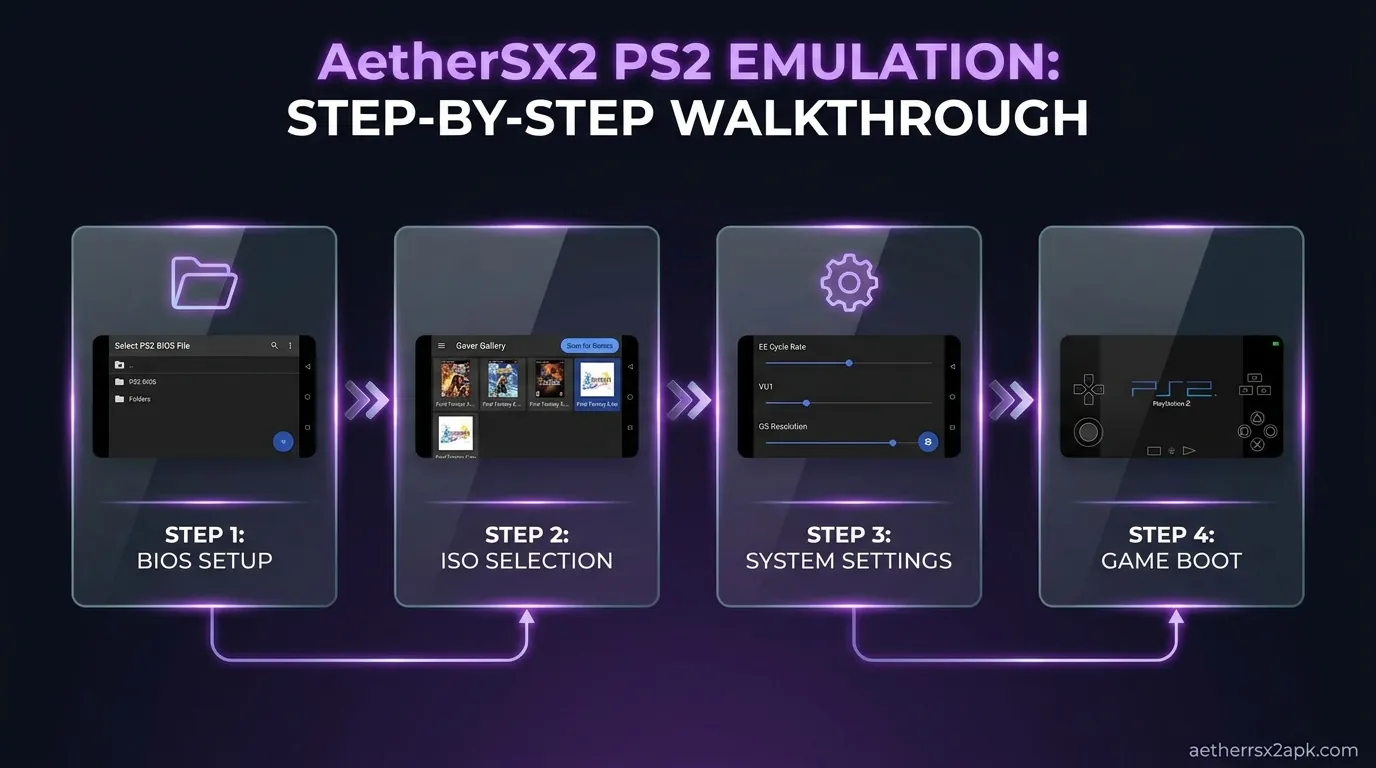
Step 4: Restore Your BIOS and Save Data
- Launch NetherSX2 for the first time.
- Follow the initial setup wizard, pointing the emulator to your PS2 games folder and your PS2 BIOS file.
- Once on the main menu, go to Settings > Memory Cards.
- Use the import function or your file manager to move your backed-up
Mcd001.ps2files into the new NetherSX2 memory card directory. - Boot up a game and verify your saves are intact!
What About AetherSX2 MMJ / ARMSX2?
As you dive deeper into the rabbit hole of Android PS2 emulation, you might stumble across other names like AetherSX2 MMJ or ARMSX2. Are these better than NetherSX2?
In short: No. Stick to NetherSX2.
Here is the context: "MMJ" stands for Weibo user weihuoya, a legendary Chinese developer who famously created custom, highly optimized builds of the Citra (3DS) and Dolphin (GameCube/Wii) emulators. These MMJ builds often utilized aggressive hacks to improve performance on low-end hardware, specifically prioritizing speed over graphical accuracy.
Some unofficial forks labeling themselves as "AetherSX2 MMJ" or "ARMSX2" have surfaced in various Telegram groups and YouTube videos. However, these are largely frowned upon by the wider emulation community for several reasons:
- Lack of Transparency: Unlike NetherSX2, which uses a transparent xdelta patching script, these other forks are often distributed as obscure, pre-compiled APKs by unknown individuals. You have no idea what code has been injected, raising massive malware and security concerns.
- Placebo Performance: Because the core Dynarec is closed-source, it is highly unlikely that these random forks have actually achieved meaningful performance gains. Often, they simply change default settings to heavily underclock the emulated CPU, creating a placebo effect of "better performance" while actually breaking game logic and audio timing.
- Fragmentation: NetherSX2 is the accepted, unified community standard. Troubleshooting issues on obscure forks is nearly impossible.
Unless you are an advanced user deliberately experimenting with different builds on a disposable device, you should absolutely avoid MMJ/ARMSX2 forks and stick to the trusted NetherSX2 standard.
Verdict: Which Should You Install?
The debate of AetherSX2 vs NetherSX2 is overwhelmingly one-sided in 2026.
NetherSX2 is the definitive way to play PlayStation 2 games on Android. It honors the incredible foundational work laid down by Tahlreth while actively protecting the user experience from the corporate monetization and abandonment that plagued the final official release.
By choosing NetherSX2, you are getting the absolute pinnacle of mobile PS2 emulation: flawless ARM recompilation, comprehensive controller support, an ad-free interface, modern frontend integration, and the peace of mind that comes from a community-maintained project.
There is only one scenario where vanilla AetherSX2 makes sense: if you are archiving the exact history of the app, or if you specifically want to run the legendary, ad-free version 1.5-3668 for nostalgia's sake. But for daily driving, gaming, and building the ultimate portable PS2 console, NetherSX2 is the undisputed king.
NetherSX2 is a patch of frozen AetherSX2 4248, documented at NetherSX2-patch. It is not current PCSX2. Source tree for the lineage: PCSX2 GitHub.
Frequently Asked Questions
Is NetherSX2 a virus?
No, NetherSX2 is not a virus, provided you get it from a reputable source. Because it is a modified APK, Android's Google Play Protect might sometimes flag it as a "Fake App" or "Unrecognized Signature." This is a standard security warning for any app that has been decompiled and resigned by someone other than the original developer. As long as you generate the patch yourself using the official GitHub scripts or download it from a trusted community hub, it is entirely safe.
Does NetherSX2 run games faster than AetherSX2?
No. Both emulators use the exact same core emulation engine derived from PCSX2. Frame rates, graphical glitches, and hardware requirements are identical. If a game lags heavily on AetherSX2 on your phone, it will lag identically on NetherSX2. Performance is dictated by your phone's processor, not by the difference between these two apps.
Do I still need a PS2 BIOS for NetherSX2?
Yes. Just like AetherSX2 and PCSX2, NetherSX2 does not include the proprietary Sony firmware required to boot PlayStation 2 games. You must legally dump a BIOS file from your own physical PlayStation 2 console and import it into the emulator. You can read our full guide on how to obtain and install a PS2 BIOS here.
Can I install both AetherSX2 and NetherSX2 at the same time?
Yes! Depending on how the NetherSX2 APK is compiled (specifically, its package name), it can often exist side-by-side with the official AetherSX2 app on your phone. This is great for testing save files or comparing settings without fully committing. However, most standard NetherSX2 patches share the same package name (xyz.aethersx2.android), meaning they will overwrite each other unless you specifically use a "cloned" version.
Will NetherSX2 ever get performance updates?
It is highly unlikely that NetherSX2 will receive massive performance boosts or core rendering updates. Because AetherSX2 is closed-source, the community cannot edit the core C++ recompilation engine. Unless Tahlreth returns and releases the source code (or another developer manages to port the latest desktop PCSX2 to Android from scratch), we are stuck with the performance capabilities of the August 2023 build. NetherSX2 updates focus on UI fixes, game patches, and quality-of-life features, not core emulation speed.
Why did AetherSX2 add ads in the first place?
The exact reasons remain murky. Tahlreth stepped away from the project due to extreme community toxicity and burnout. Months later, the app was updated on the Play Store with ads and tracking. The prevailing theory is that Tahlreth either handed control of the Google Play listing over to a third party to monetize the remaining user base, or implemented them as a final measure to recoup server costs before abandoning the project entirely. Regardless of the reason, it is what prompted the creation of NetherSX2.
Does NetherSX2 support multiplayer?
Neither AetherSX2 nor NetherSX2 currently support online multiplayer (Netplay) in a robust, user-friendly way. While some advanced users have managed to make local network play work for specific titles using complex tunneling setups, it is not a native, supported feature like it is on the desktop version of PCSX2. You should treat both emulators as strictly single-player experiences for now.
What are the minimum requirements to run NetherSX2?
Because it shares AetherSX2's core, the requirements are exactly the same. You need a 64-bit Android device running Android 8.0 or higher. For acceptable performance (mostly 60fps at 1x native resolution), a Snapdragon 845 or equivalent processor is the absolute minimum bare floor. For excellent performance with 2x or 3x upscaling, you should aim for a device with a Snapdragon 8 Gen 1, Gen 2, or a high-end MediaTek Dimensity processor (though Snapdragon chips perform significantly better due to superior Adreno GPU drivers).
*
Ready to upgrade your mobile gaming setup? Head over to our NetherSX2 APK download page to get started, or check out our massive game compatibility database to see which PS2 classics run best on your device!