

aethersx2 speed hacks
AetherSX2 Speed Hacks Explained
By HBKPublished Last updated
Tested on: POCO F3 (Snapdragon 870), Android 13, AetherSX2 v1.5-4248
Quick summary
AetherSX2 speed hacks trade Emotion Engine accuracy for FPS. MTVU is the safe default. EE Cycle Rate −1 is for CPU-bound games like *God of War*. VU Cycle Stealing fakes smoothness and can tear geometry.
- Keep on: MTVU (Multi-Threaded VU1) on dual-core+ phones
- EE Cycle Rate: 100% first; −1 only if the overlay is below 100% at 1x
- Avoid first: VU Cycle Stealing and EE Cycle Skip — they skip work, not just clocks
- Test: one slider at a time against an in-game shrine, not a save state
If you are diving into the world of PlayStation 2 emulation on Android, you have probably realized that running classic games on a smartphone requires a serious amount of processing power. Even with high-end Snapdragon chips, certain demanding PS2 titles can stutter, lag, or slow down to a crawl. This is where AetherSX2 speed hacks come into play. These built-in configuration settings are designed to squeeze every last drop of performance out of your device by strategically cutting corners in how the emulator processes the game's code.
But what exactly do these toggles and sliders do? Why does setting one value too high make your game run fast but sound like a broken record? In this comprehensive guide, we are going to break down everything you need to know about AetherSX2's speed hacks. We will explore how underclocking and cycle skipping work, dissect the most important settings like the EE Cycle Rate and VU Cycle Stealing, explain why MTVU is a mandatory toggle for most users, and help you find the perfect balance between smooth gameplay and accurate emulation. Whether you are playing on a flagship device or a budget phone, mastering these settings is the key to a better mobile gaming experience.
On this page ▾
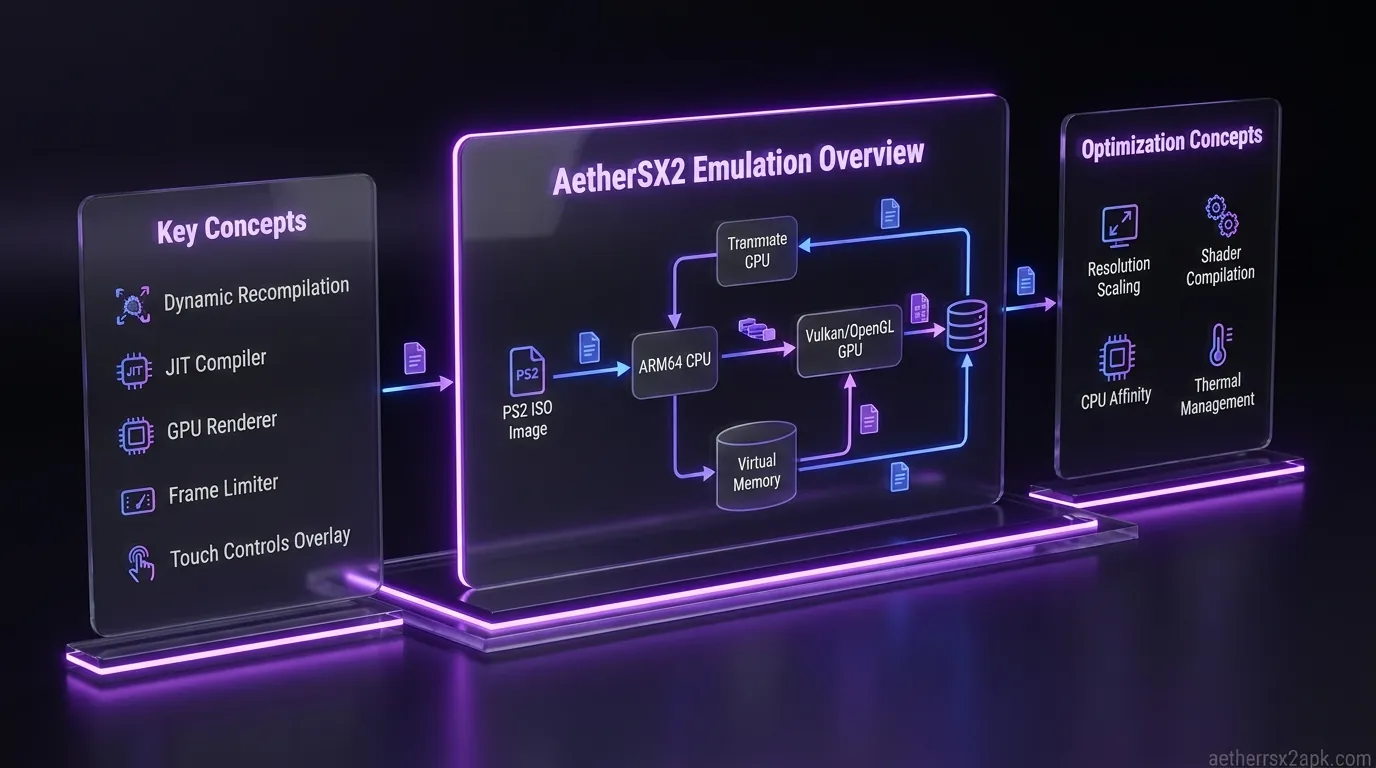
When you play a PS2 game on its original hardware, the console's custom processors: specifically the Emotion Engine (EE) and the Vector Units (VU): work in perfect harmony, executing code at a specific, fixed clock speed. An emulator like AetherSX2 has to translate all of that complex, highly specific PS2 architecture into instructions that your Android device's ARM processor can understand. This translation process is incredibly demanding. If your phone's processor cannot translate the instructions fast enough to maintain the target 60 frames per second (FPS), the game slows down, the audio crackles, and the experience is ruined.
So, how do we fix this without magically upgrading our smartphone's hardware? We use AetherSX2 speed hacks.
Speed hacks are essentially clever tricks that alter the way the emulator handles the emulated PS2 hardware. They do not magically make your phone more powerful; rather, they reduce the workload that the emulator has to process. The core philosophy behind these hacks is compromise. By slightly breaking the accuracy of the emulation, you can significantly reduce the processing overhead.
The two primary methods used in these speed hacks are underclocking and cycle skipping.
- Underclocking tells the emulated PS2 CPU that it is running slower than it actually should be. The game engine adapts by trying to process less complex logic per frame, effectively reducing the burden on your Android device.
- Cycle skipping, on the other hand, tells the emulator to simply ignore processing certain mathematical instructions (cycles) related to graphics geometry.
When you want to speed up AetherSX2, understanding the delicate balance of these hacks is crucial. Pushing them too hard will result in game-breaking glitches, desynced audio, and visual stuttering that feels worse than the initial lag. But when tuned correctly, these hacks can make previously unplayable games run flawlessly.
EE Cycle Rate (Emotion Engine Underclocking) Explained
The Emotion Engine (EE) was the central processing unit of the PlayStation 2, an absolute beast of a chip for its time. Emulating it accurately is the heaviest task AetherSX2 performs. The AetherSX2 EE Cycle Rate setting is perhaps the single most important speed hack you have at your disposal. It directly manipulates the emulated clock speed of this Emotion Engine.
How It Works
By default, the EE Cycle Rate is set to 100% (Normal). This tells AetherSX2 to emulate the Emotion Engine exactly as it behaved on a real PS2. However, if your device is struggling, you can underclock the EE. When you apply an underclock, you are essentially tricking the PS2 game into thinking the console is running slower. Because most PS2 games have internal logic to handle framerate drops without breaking the game entirely, underclocking causes the game's engine to skip rendering certain non-essential logic frames. Your Android device now has less code to translate, allowing it to maintain a stable output speed.
The Values (-3 to +3)
In AetherSX2, the EE Cycle Rate slider is represented by values ranging from -3 to +3 (or sometimes represented as percentages like 50%, 60%, 75%, 100%, 130%, etc., depending on the app version).
- 0 (100% Normal): The baseline setting. Maximum compatibility, but requires a powerful device for demanding games.
- -1 (75% Mild Underclock): Reduces the emulated EE clock speed by 25%. This is the sweet spot for many mid-range phones. It provides a noticeable performance boost with very few negative side effects.
- -2 (60% Moderate Underclock): Reduces the clock speed by 40%. This provides a massive performance boost and is often necessary for demanding titles like Shadow of the Colossus or God of War II on weaker hardware.
- -3 (50% Maximum Underclock): Cuts the emulated clock speed in half. While this reduces the CPU load drastically, it is highly prone to causing game-breaking issues.
- +1, +2, +3 (Overclocking): These settings actually increase the emulated EE clock speed. This is almost never used for performance gains on Android. It is strictly for fixing games that suffered from internal slowdown on the original PS2 hardware, and it requires a tremendously powerful Snapdragon Gen 2 or Gen 3 device to handle the extra overhead.
When to Use It and Side Effects
You should reduce the EE Cycle Rate when your game is running in slow motion (e.g., the emulator reports you are only hitting 40 out of 60 FPS, and the game feels sluggish).
However, underclocking is not a magic bullet. Because you are artificially limiting the game engine's processing speed, you can trigger severe side effects. The most common issue is internal framerate drops. While the emulator might report a smooth 60 FPS output on your screen, the game internally might only be updating its logic at 20 or 30 FPS. This results in characters moving jerkily or animations feeling incredibly choppy.
Another major side effect is audio desynchronization. Because the game's logic is running slower than expected, audio cues triggered by specific events might fire late or overlap, leading to stuttering or repeating sound effects. If you apply a -3 underclock, do not be surprised if cutscenes lose sync entirely. Always check our game compatibility database to see if specific titles tolerate aggressive underclocking.
VU Cycle Stealing (Vector Unit Cycle Stealing) Explained
If the Emotion Engine is the brain of the PS2, the Vector Units (VU0 and VU1) are the specialized muscles responsible for complex 3D math, geometry processing, and lighting. The AetherSX2 VU Cycle Stealing hack targets these units specifically, and it operates very differently from the EE Cycle Rate.
How It Works
Instead of slowing down the internal clock of the processor, VU Cycle Stealing does exactly what its name implies: it steals (or skips) cycles of operation. It intercepts the rendering instructions sent by the emulated Vector Units to the emulated GPU and simply throws some of them away before your Android processor has to calculate them.
Imagine a game is trying to render a complex 3D character model. If you apply VU Cycle Stealing, the emulator might skip calculating the precise geometry of every single frame, reusing data from previous frames instead. This drastically reduces the workload on your device's CPU.
The Values (0 to 3)
The VU Cycle Stealing slider ranges from 0 to 3:
- 0 (Disabled): Normal emulation. No cycles are skipped. This provides the smoothest visual experience but demands the most power.
- 1 (Mild Stealing): Skips a small percentage of VU cycles. This can provide a decent performance bump in games with complex geometry without heavily impacting visuals.
- 2 (Moderate Stealing): A more aggressive approach. It skips a significant number of cycles. You will see a large increase in the emulator's reported speed, but visual artifacts become common.
- 3 (Maximum Stealing): Extreme cycle skipping. This should only be used as a last resort on very weak devices for very demanding games.
Skipped Frames vs. Fake 60 FPS
The biggest caveat with VU Cycle Stealing is that it creates a "fake" sense of speed. When you crank this setting up to 2 or 3, your emulator's FPS counter might proudly display 60 FPS (or 100% speed), but the game will feel incredibly choppy.
This happens because the emulator is outputting frames to your screen at 60 FPS, but the actual 3D geometry is only updating at perhaps 15 or 20 FPS due to the stolen cycles. You are watching a slideshow disguised as smooth gameplay.
Side Effects: Screen Tearing and Geometry Glitches
Because you are arbitrarily skipping mathematical calculations, VU Cycle Stealing often leads to severe visual glitches. You might encounter screen tearing, where the top half of the screen renders a different frame than the bottom half. 3D models might flicker, spike, or stretch grotesquely as the emulator struggles to reconstruct geometry with missing data. UI elements and text can also vanish or become corrupted.
As a general rule, you should always try to achieve playable speeds using the EE Cycle Rate first before touching VU Cycle Stealing. Use VU stealing sparingly, keeping it at 0 or 1 unless absolutely necessary. For more targeted help with these settings, check out our guide on the best AetherSX2 settings.
MTVU (Multi-Threaded VU1) The Mandatory Speed Hack

While EE Cycle Rate and VU Cycle Stealing require careful balancing and compromise, there is one speed hack in AetherSX2 that is almost universally beneficial: MTVU (Multi-Threaded VU1). If you want to know how to speed up AetherSX2 with the flip of a single switch, this is it.
What is MTVU?
In a standard emulation environment, the emulator tries to process the PlayStation 2's Emotion Engine and its primary Vector Unit (VU1) sequentially on a single core of your Android device's processor. However, modern smartphones have multi-core processors (typically 8 cores). Running heavy emulation on just one core leaves the rest of your powerful CPU sitting idle.
The MTVU speed hack separates the processing of the VU1 and offloads it onto a completely different CPU thread (and therefore, a different CPU core) on your Android device. It effectively splits the heaviest part of the emulation workload in half, allowing two cores of your phone's processor to work on the PS2 emulation simultaneously.
Why It Gives a 30-50% Speed Boost
Because the workload is now distributed across multiple cores, your device can process the complex geometry calculations of the VU1 without slowing down the core logic processing of the Emotion Engine. On modern multi-core Snapdragon, MediaTek, or Exynos processors, enabling MTVU can result in an immediate and massive performance boost: often yielding a 30% to 50% increase in framerate in demanding 3D games.
For the vast majority of users, MTVU is a mandatory speed hack. It provides "free" performance without the artificial choppiness of VU Cycle Stealing or the underclocking artifacts of the EE Cycle Rate.
When NOT to Use MTVU
While MTVU is fantastic, it is not 100% perfect. Because it forces two different parts of the emulated PS2 architecture to run in parallel on different physical cores of your phone, it introduces minor timing synchronization issues.
For 99% of games, this tiny loss of timing accuracy doesn't matter at all. However, a very small handful of specific PS2 titles rely heavily on perfectly synchronized communication between the EE and VU1. In these rare cases, enabling MTVU might cause the game to freeze, crash, or exhibit bizarre graphical glitches that render the game unplayable. Notable examples that sometimes struggle with MTVU include certain EA Sports titles or highly specific visual novel engines.
If a game is instantly crashing on boot or freezing consistently at specific points, the first troubleshooting step you should take is disabling MTVU to see if the timing synchronization fixes the issue. Otherwise, keep it firmly enabled.
Instant Speed Hack Presets vs Manual Tuning
When you first dive into AetherSX2's settings menu, you will notice that the developer included a very convenient "System Settings" tab with a slider labeled "Performance Defaults" or "Presets." This slider ranges from "Safe" to "Maximum Underclock."
Using the Presets
These presets are fantastic for beginners who want a quick "plug and play" experience without having to understand the granular details of cycle rates and stealing.
- Safe / Accurate: Disables all underclocking and cycle stealing. It prioritizes perfect emulation accuracy. Best for high-end flagship phones (Snapdragon 8 Gen 2 and above).
- Balanced: Usually applies a mild EE underclock (-1) and enables MTVU. This is a great starting point for mid-range phones.
- Aggressive / Unsafe: Applies heavy EE underclocking (-2 or -3) and introduces VU Cycle Stealing. It prioritizes framerate above all else, sacrificing visual smoothness and audio integrity. Use this only on budget devices or incredibly heavy games.
The Case for Manual Tuning
While the presets are convenient, they are a blunt instrument. Every PS2 game was programmed differently, and what works perfectly for a racing game like Gran Turismo 4 might completely break an RPG like Final Fantasy X.
By manually tuning the speed hacks, you can achieve a much better balance. For example, you might find a game that runs perfectly with a heavy EE underclock (-2) but turns into a glitchy mess if any VU Cycle Stealing is applied. A preset might force both hacks on, ruining your experience.
Manual tuning allows you to test the specific pain points of a game. If the game feels like it is running in slow motion, lower the EE Cycle Rate. If the framerate is dipping specifically when large explosions or complex geometry appear on screen, try a mild bump to VU Cycle Stealing. Taking the time to manually configure these settings on a per-game basis will always yield superior results compared to the global presets. (Tip: AetherSX2 allows you to save per-game configurations by long-pressing a game cover in your library!).
Safe vs Aggressive Speed Hack Configurations
To help you visualize how to combine these settings, here is a comparison table outlining different configuration strategies based on your device power and tolerance for glitches.
| Setting | "Safe & Accurate" (High-End Devices) | "Balanced" (Mid-Range Devices) | "Aggressive" (Budget Devices / Heavy Games) | "Desperation" (Potato Phones) |
|---|---|---|---|---|
| EE Cycle Rate | 0 (100% Normal) | -1 (75% Underclock) | -2 (60% Underclock) | -3 (50% Underclock) |
| VU Cycle Stealing | 0 (Disabled) | 0 (Disabled) | 1 (Mild Stealing) | 2 or 3 (Max Stealing) |
| MTVU (Multi-Thread) | Enabled | Enabled | Enabled | Enabled |
| Expected Result | Perfect audio, smooth 60 FPS, accurate animations. | Great speed, mostly smooth animations, rare audio stutter. | Fast emulator speeds, but choppy internal animations and minor graphical glitches. | "Fake" 60 FPS, heavy visual tearing, choppy logic, audio desync. Barely playable. |
| Ideal For | Snapdragon 8 Gen 2/Gen 3, flagship MediaTek chips. | Snapdragon 7 series, 870, 888. Most modern mid-range phones. | Older Snapdragon 6 series, budget MediaTek processors. | Very old devices just trying to boot the game. |
When configuring your emulator, always start at the "Safe & Accurate" level and work your way to the right only as needed. To truly optimize your setup from the moment you finish the install walkthrough, remember that AetherSX2 provides the tools, but patience provides the performance.
EE underclock and VU stealing are PCSX2 speed hacks ported to Android. Read the desktop explanations on the PCSX2 wiki and in PCSX2 source before maxing sliders. Community presets: r/EmulationOnAndroid.
Frequently Asked Questions
1. Does using speed hacks damage my phone? No. Speed hacks are entirely software-based. They change how the emulator processes code; they do not force your phone's hardware to run beyond its physical limits. In fact, by reducing the processing workload, aggressive speed hacks might actually cause your phone to run cooler than trying to emulate at 100% accuracy.
2. Why does my game show 60 FPS but still feel laggy? This is the classic symptom of setting VU Cycle Stealing too high. The emulator is successfully outputting 60 frames per second to your phone screen, but it is skipping the internal logic and geometry calculations. The game engine itself is running at a low framerate, resulting in a "slideshow" effect despite the high FPS counter. Turn VU Cycle Stealing down to 0 or 1.
3. The audio in my game is crackling and skipping. Which speed hack causes this? Audio issues are most commonly caused by aggressive EE Cycle Rate underclocking (setting it to -2 or -3). When the emulated Emotion Engine runs too slowly, it cannot process the audio cues in time, leading to desynchronization and crackling. Try raising the EE Cycle Rate back toward 0.
4. Should I always keep MTVU enabled? For about 95% of games, yes. It provides a massive performance boost on almost all Android devices. However, if a game is crashing on boot, freezing during specific cutscenes, or showing bizarre geometry spikes, try disabling MTVU. A few rare games cannot handle multi-threaded rendering.
5. I have a Snapdragon 8 Gen 3. Do I need speed hacks? Generally, no. A high-end chip like the Gen 3 can brute-force 100% accurate emulation for almost the entire PS2 library. You should leave EE Cycle Rate at 0 and VU Cycle Stealing at 0. You can leave MTVU enabled just to keep CPU temperatures lower, but underclocking is unnecessary and will only introduce potential glitches.
6. Can I set different speed hacks for different games? Yes! This is highly recommended. In AetherSX2, long-press on a game's cover art in your library list and select "Game Properties." Any speed hack changes you make here will only apply to that specific game, allowing you to fine-tune heavy games like God of War without ruining the accuracy of lighter games like Final Fantasy XII.
By understanding how AetherSX2 speed hacks fundamentally operate, you transition from blindly moving sliders to surgically optimizing your emulation experience. Remember the golden rule: start with perfect accuracy, enable MTVU for a free boost, and gently apply EE underclocking before resorting to the visual sacrifices of VU Cycle Stealing. With a bit of patience and manual tuning, you can transform your Android device into the ultimate portable PlayStation 2.