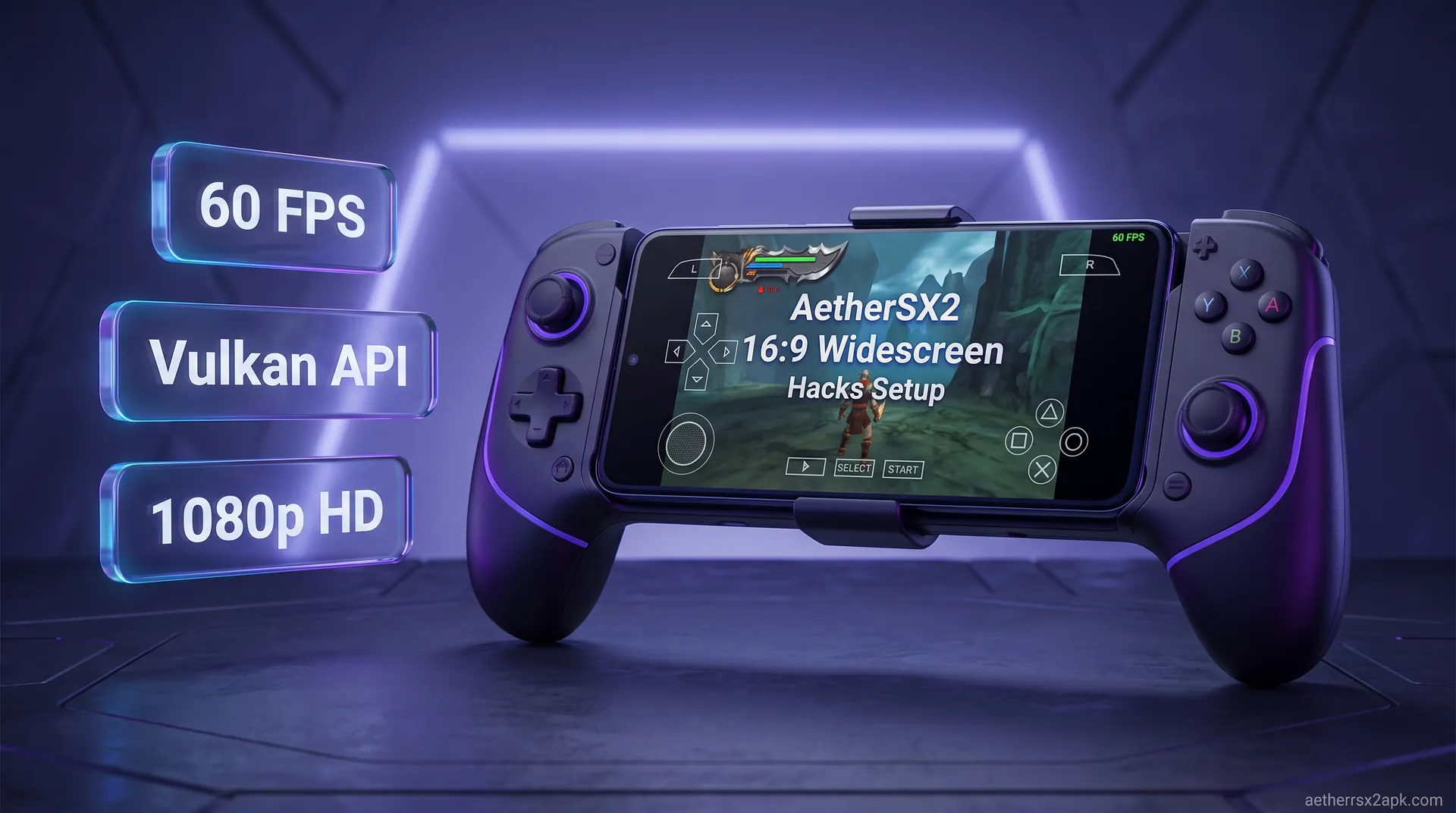
AetherSX2 widescreen hacks are CRC-specific .pnach FOV patches, not "stretch to fill." Stretching a 4:3 framebuffer on a 20:9 phone fattens HUDs. Enable the built-in patch, then turn on FMV aspect switch so movies stay 4:3.
True 16:9:built-in pnach or a matching widescreen file for that CRC
FMV:enable Switch to 4:3 for FMV or pre-rendered videos look crushed
New CRC:Final Mix / fan patches need a new pnach, not a copied one
Do not:set display to fill-screen and call it widescreen
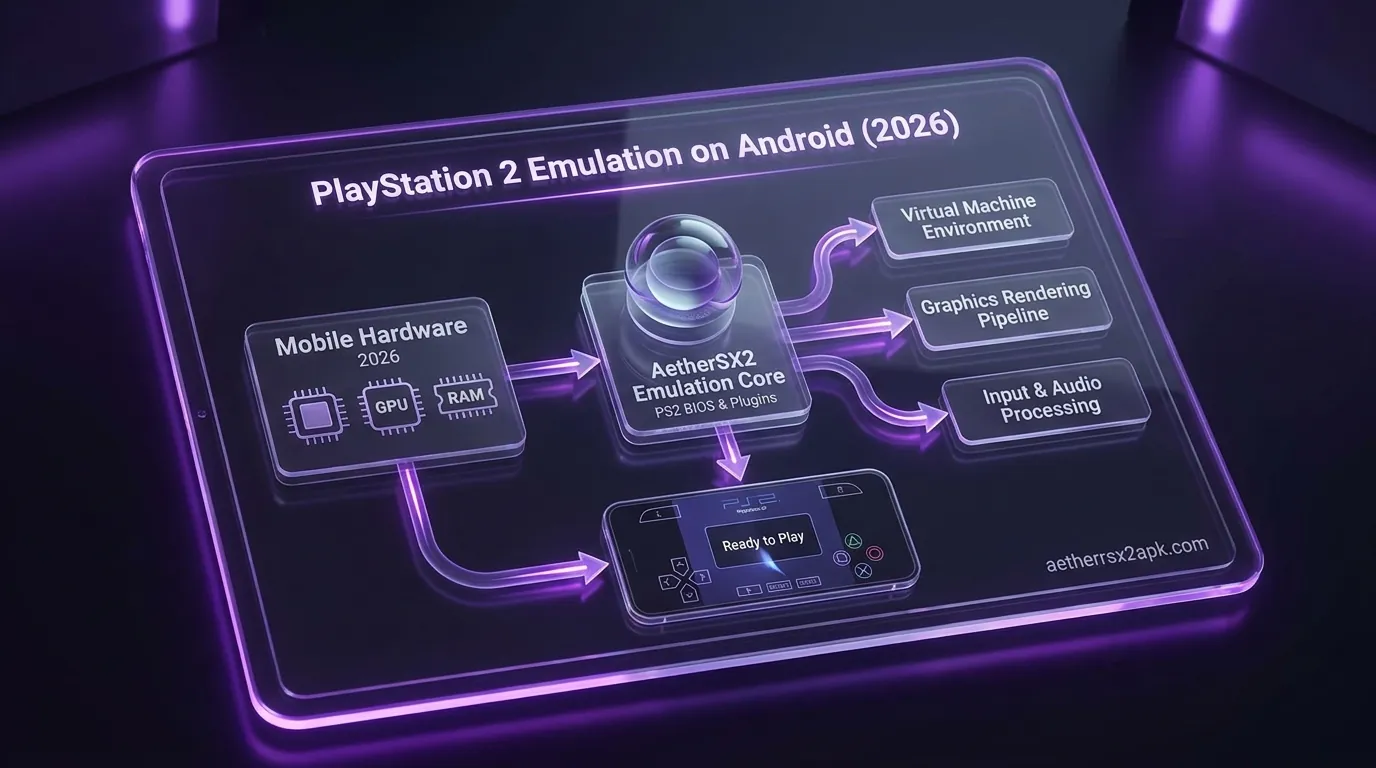
When the PlayStation 2 dominated the gaming landscape in the early 2000s, the standard television was a bulky CRT monitor with a boxy 4:3 aspect ratio. Fast forward to today, and we are playing these classic masterpieces on sleek, high-definition Android smartphones sporting ultra-wide 19:9, 20:9, or 21:9 displays. If you simply load up a PS2 game after the APK install walkthrough, you are immediately faced with a choice: play with massive black bars on the sides of your screen, or stretch the image and distort the beautiful artwork until characters look incredibly wide and environments lose all sense of scale.
Fortunately, thanks to the incredible engineering behind AetherSX2 (originally developed by Tahlreth) and its deep roots in the PCSX2 emulation project, there is a third, vastly superior option. By utilizing AetherSX2 widescreen hacks, you can modify the game's internal camera, expanding the Field of View (FOV) to render true 16:9 widescreen gameplay.
Below: how built-in patches differ from stretch, how to turn them on, and how to drop a custom .pnach into the cheats folder when the database misses a title.
On this page▾## Why Use True 16:9 Widescreen Hacks vs Stretched Aspect Ratio?
If you are new to Android emulation, you might be wondering why a "hack" or "patch" is even necessary. After all, most emulators feature an "Aspect Ratio" setting that lets you select 16:9 or "Stretch to Fill." To understand why widescreen hacks are essential for the ultimate gaming experience, we need to dive into the difference between anamorphic stretching and true Field of View (FOV) expansion.
The Problem with Simple Stretching (Anamorphic)
When you navigate to your emulator's graphics settings and force a 4:3 game to display in 16:9 without any underlying code modifications, you are performing a simple image stretch. The emulator takes the original square frame and pulls it horizontally to fill your modern smartphone screen.
The consequences of this are immediately obvious and visually jarring:
Distorted Geometry: Perfect circles (like tires in Gran Turismo 4 or the mini-map in Grand Theft Auto: San Andreas) become elongated ovals.
Fat Character Syndrome: Protagonists look unnaturally wide and squat. Kratos from God of War will look like he gained fifty pounds of horizontal width, entirely ruining the developer's original artistic intent.
Motion Sickness: Because the horizontal axis is stretched but the vertical axis remains the same, camera panning feels unnaturally fast on the horizontal plane, which can cause eye strain or motion sickness for sensitive players.
How True FOV Expansion Works
A true AetherSX2 widescreen hack approaches the problem from the inside out. Rather than stretching the final rendered 2D image, a widescreen hack actively intercepts the PlayStation 2's memory in real-time. It targets the specific hexadecimal memory addresses that dictate the game's 3D camera.
By altering these values, the hack literally pulls the in-game camera back or widens its lens. The game engine is tricked into rendering more of the 3D environment on the left and right sides of the screen. Characters maintain their intended, precise proportions. Circles remain perfect circles. You are simply seeing more of the game world than the developers originally allowed you to see on a 4:3 television.
Comparison: Widescreen Hacks vs Stretched Aspect Ratio
Feature
Stretched 16:9 Setting
True Widescreen Hack (.pnach)
Character Proportions
Distorted (Horizontally stretched)
Original, accurate proportions
Environmental View
Cropped or exactly the same
Expanded (You see more of the world)
UI and HUD Elements
Stretched horizontally
Stretched, but occasionally fixable via patches
Performance Impact
None
Extremely minimal (Rendering slightly more geometry)
Setup Process
1-click in the settings menu
Requires enabling patches or adding a file
Overall Visual Quality
Poor and inauthentic
Excellent, modern remaster quality
If you are already taking the time to configure the best AetherSX2 settings for upscaled 1080p or 4K rendering, playing without a widescreen hack is doing yourself a massive disservice. True widescreen patches turn classic PS2 titles into games that look like modern HD remasters.
How Built-in Widescreen Patches Work in AetherSX2
How Builtin Widescreen Patches Work in AetherSX2
One of the greatest triumphs of AetherSX2: and the community-updated NetherSX2 fork: is how incredibly user-friendly it makes the patching process. You do not need to be a programmer or a hacker to get 16:9 support working for the vast majority of popular games.
The PCSX2 Legacy Connection
AetherSX2 was built upon the architecture of PCSX2, the premier PlayStation 2 emulator for Windows and Linux. Over the last two decades, the passionate PCSX2 community has painstakingly reverse-engineered thousands of PS2 games, manually tracking down the camera aspect ratio memory addresses to create custom widescreen codes for almost every game in the console's library.
When developer Tahlreth created AetherSX2, he smartly integrated this massive repository of community widescreen patches directly into the Android emulator's final build (v1.5-4248). This means that for roughly 80% of the most popular PS2 games, the required memory patch is already sitting inside the AetherSX2 app data on your phone, just waiting to be turned on.
What is a .pnach File?
In the world of PS2 emulation, patches and cheat codes are distributed using a proprietary text file format known as .pnach (pronounced "patch"). A .pnach file is essentially a simple script that tells the emulator: "When this specific game boots up, constantly overwrite this specific memory address with this specific new value."
Because AetherSX2 uses the exact same cheat and patching engine as PCSX2, any .pnach file created for PC will work flawlessly on your Android device.
Limitations to Keep in Mind
While built-in widescreen hacks are miraculous, they are not without a few quirks. Because the PS2 hardware was incredibly limited (featuring only 32MB of main RAM), game developers used aggressive optimization techniques. The most common is Frustum Culling.
Frustum culling is an optimization trick where the game engine instantly stops rendering any 3D models (characters, trees, buildings) that are outside the standard 4:3 camera view. By expanding the camera to 16:9, you are exposing the areas that the game is trying to hide. As a result, you might occasionally see enemies pop into existence right at the edges of your screen, or notice background buildings disappearing prematurely. This is an unavoidable side effect of forcing a game to render things it was never programmed to show.
Step-by-Step Guide to Enable Widescreen Hacks in AetherSX2
StepbyStep Guide to Enable Widescreen Hacks in AetherSX2
For the majority of users, enabling widescreen functionality is a quick, two-step process. First, you must tell the emulator to output a 16:9 image. Second, you must tell the emulator to apply the memory hack so that the game fills that 16:9 space properly.
Follow these exact steps to achieve a perfect ultra-wide display:
Step 1: Set the Global Aspect Ratio
If you apply a widescreen patch but leave the emulator in 4:3 mode, the game will look vertically squished. We need to match the emulator window to the patch.
Open the AetherSX2 app on your Android device.
Tap the three horizontal lines (hamburger menu) in the top left corner to open the main menu.
Select App Settings.
Navigate to the Graphics tab (indicated by a monitor icon).
Scroll down to the Display section and locate Aspect Ratio.
Tap it and change it from Standard (4:3) to Widescreen (16:9).
Step 2: Enable the Patch Engine
Now that the screen is wide, we need to activate AetherSX2's built-in repository of .pnach files.
While still in the App Settings menu, swipe over to the General tab (the gear icon).
Scroll down to the Emulation section.
Find the toggle labeled Enable Widescreen Patches.
Turn this toggle ON. (It will highlight in blue or your system accent color).
Step 3: Boot Your Game and Verify
Load up any popular game, such as Metal Gear Solid 3: Snake Eater or Need for Speed: Underground. Watch the top-right corner of your screen as the game boots. You should see a small overlay text notification that says: "Widescreen Patches Applied" or "Patches Found."
Once you are in-game, move the camera around. The character should look normally proportioned, and the image should fill your screen perfectly.
Pro Tip: If you only want 16:9 for specific games, you can leave the global aspect ratio at 4:3, boot a specific game, press the pause button, tap the Information icon (i), go to Game Settings, and override the aspect ratio and widescreen patch toggle specifically for that title. This is highly recommended if you are referencing our game compatibility database for optimal per-game configurations.
How to Manually Add Custom .pnach Widescreen Codes
How to Manually Add Custom pnach Widescreen Codes
While AetherSX2's built-in database is massive, it doesn't have everything. If you are playing an obscure Japanese import, a lesser-known RPG, or a recently translated ROM hack, the built-in toggle might not do anything. In these scenarios, you need to manually add the widescreen cheat code.
This process is identical to adding game modifications, which you can read more about in our AetherSX2 cheat codes guide.
1. Identify Your Game's CRC Code
The emulator identifies games not by their file name, but by a unique alphanumeric signature called a CRC (Cyclic Redundancy Check) code. A .pnach file must be named after this CRC code for the emulator to recognize it.
Boot your game in AetherSX2.
Tap the pause button to open the quick menu.
Tap the (i) Information icon in the top right.
Look for the string of letters and numbers labeled CRC. It will look something like 0FA3B64E. Write this down exactly as it appears.
2. Find the Widescreen Patch Code
Open your web browser and search for your game's widescreen patch. The best resource is the official PCSX2 Forums (under the "Widescreen Game Patches" thread) or the PCSX2 GitHub repository. You are looking for a block of text that looks like this: ``text // Widescreen hack 16:9 patch=1,EE,20345678,extended,3F400000 patch=1,EE,2034567C,extended,43960000
`
3. Create the .pnach File
You cannot do this directly inside AetherSX2; you need a file manager and a text editor on your Android device (or do it on a PC and transfer it).
Open a text editor app on your phone.
Paste the raw patch text you copied from the forums.
Save the file as your CRC code, followed by
.pnach. For example: 0FA3B64E.pnach. Ensure your phone doesn't accidentally save it as 0FA3B64E.pnach.txt.
4. Place the File in the AetherSX2 Directory
Due to Android's "Scoped Storage" security measures, accessing the AetherSX2 data folder requires a capable file manager app (like ZArchiver or Solid Explorer).
Copy your newly created
0FA3B64E.pnach file.
Navigate to the following directory on your Android internal storage:
Android / data / xyz.aethersx2.android / files / cheats
(Note: If you are using the NetherSX2 fork, the folder will still likely be under the AetherSX2 app package name unless you installed a heavily modified standalone clone).
Paste the
.pnach file inside the cheats folder.
5. Activate in the Emulator
Boot the game. Because AetherSX2 treats manual
.pnach files as both cheats and patches, you may need to go into the quick menu (pause), select Cheat Codes, and ensure your new widescreen patch has a checkmark next to it.
Fixing 3D Rendering & UI Element Distortion
Fixing 3D Rendering UI Element Distortion
Achieving a 16:9 aspect ratio is a massive visual upgrade, but veteran emulation enthusiasts know that it rarely comes without a few visual compromises. Because PlayStation 2 games are a mix of 3D polygonal rendering and 2D sprite-based overlays, widescreen hacks affect different layers of the game in different ways.
The 2D HUD Stretch Dilemma
The most common issue you will encounter when using an AetherSX2 widescreen hack is the stretched HUD (Heads-Up Display). While the hack successfully modifies the 3D camera to render true 16:9 environments, it usually cannot change the 2D UI elements.
As a result, your 3D character will look perfect, but the 2D health bar, mini-map, crosshairs, and text menus will stretch horizontally.
Can it be fixed? Sometimes. Advanced
.pnach creators on the PCSX2 forums often include separate lines of code specifically designed to shrink the HUD on the horizontal axis, counteracting the global screen stretch. If your UI looks overly stretched, check the forums to see if a specific "HUD Fix" .pnach exists for your game.
When it can't be fixed: In games where the UI is deeply baked into the rendering engine, a HUD fix might be impossible without breaking the game. In these cases, you simply have to tolerate oval-shaped mini-maps in exchange for gorgeous widescreen 3D graphics.
Addressing 3D Camera and Culling Glitches
As mentioned earlier, Frustum Culling causes objects at the edges of a 16:9 screen to pop in and out.
Render Fix Patches: Some highly advanced widescreen patches include "Render Fix" or "Culling Fix" codes. These memory hacks disable the game's strict culling parameters, forcing the engine to draw models even when they are technically "off-screen" by the original 4:3 standards.
Performance Cost: Disabling culling forces your Android phone's GPU to render significantly more polygons per frame. If you apply a culling fix and notice your frame rate dropping from 60 FPS down to 40 FPS, you are hitting a hardware bottleneck. You may need to drop your internal resolution multiplier (e.g., from 3x down to 2x) in the graphics settings to compensate.
Game-Specific Fixes and NetherSX2 Enhancements
If you are playing on the community-updated NetherSX2 (which removes ads and integrates newer game database fixes), you will find that the built-in widescreen patch repository is updated to the latest PCSX2 database standards. This means many games that suffered from culling or HUD stretch in the original AetherSX2 August 2023 final build (v1.5-4248) have been quietly fixed behind the scenes.
Always ensure your games are running via ISO, CHD, or CSO formats rather than extracting the raw game files, as CRC identification relies heavily on standard disc image formatting.
1. Does enabling widescreen hacks decrease my FPS? In most cases, the performance impact is negligible. However, because you are rendering a wider field of view (more 3D models and textures on screen at once), incredibly demanding games like Shadow of the Colossus or God of War II might experience a 2% to 5% drop in performance on lower-end Snapdragon or MediaTek processors.
2. Why are my pre-rendered cutscenes still stretched or zoomed in? Widescreen hacks manipulate the real-time 3D camera. FMVs (Full Motion Videos) are pre-rendered, 2D video files baked onto the game disc in 4:3. You cannot change the field of view of a pre-recorded video. AetherSX2 will either stretch the video to fit 16:9, or if an advanced
.pnach is used, it might crop the top and bottom of the video to maintain the correct aspect ratio without black bars.
3. I turned on "Enable Widescreen Patches", but my game is still 4:3. Why? There are three possibilities: 1) You did not set your Aspect Ratio to 16:9 in the Graphics settings. 2) AetherSX2 does not have a built-in patch for that specific game, meaning you need to create a custom
.pnach file. 3) You are playing an unrecognized ROM hack or a bad dump with a CRC that doesn't match the database.
4. Will widescreen hacks get me banned if I play online? AetherSX2 does not natively support robust online multiplayer infrastructure like PCSX2 currently does. However, if you manage to connect via third-party networking solutions, modifying memory addresses (which is what a widescreen hack does) can sometimes trigger basic anti-cheat or cause desyncs with players who are running the game in standard 4:3.
5. How do I fix the distorted crosshair in first-person shooters? FPS games like TimeSplitters or Medal of Honor suffer heavily from HUD stretching, resulting in oval crosshairs that make aiming difficult. You must manually search the PCSX2 forums for a "Widescreen HUD Fix"
.pnach specific to your game region (NTSC vs PAL) and add it to your cheats folder.
6. Do I need a specific BIOS for widescreen hacks to work? No. While you must dump your own PlayStation 2 BIOS from your console to use the emulator legally and correctly, the BIOS version (US, EU, or JP) does not dictate widescreen hack compatibility. The hack is dependent purely on the game's specific region and CRC code, not the BIOS.
Conclusion
Conclusion
Emulating the PlayStation 2 on Android is a marvel of modern software engineering, and taking advantage of AetherSX2 widescreen hacks elevates the experience from a nostalgic novelty into a premium, definitive way to play. While it requires a basic understanding of aspect ratios and sometimes demands a bit of file management to get custom
.pnach` codes working, the visual payoff is immense.
By avoiding the ugly distortion of anamorphic stretching and unlocking the true 16:9 Field of View hidden within these classic titles, you ensure that gaming's greatest generation looks better today than it ever did in the past.
Ready to optimize your emulation experience even further? Check out our ultimate guide on the best AetherSX2 settings to maximize frame rates and upscale resolutions on your Android device!