aethersx2 touch controls
AetherSX2 Touch Controls and Overlay Editor
By HBKPublished Last updated
Tested on: POCO F3, Android 13, AetherSX2 v1.5-4248, on-screen DualShock editor
Quick summary
AetherSX2 touch controls are an on-screen DualShock overlay, not a second input method. Scale, opacity, and position save per layout. Hide the overlay the moment a real pad is connected or a palm will mash Cross.
- Editor: pause in-game → touch layout; save against that session
- Hide: when a Bluetooth or OTG pad is bound
- RPGs: larger analog + lower opacity; hide the overlay for lock-on games
- Not for: DualShock mapping — that is the controller-setup page
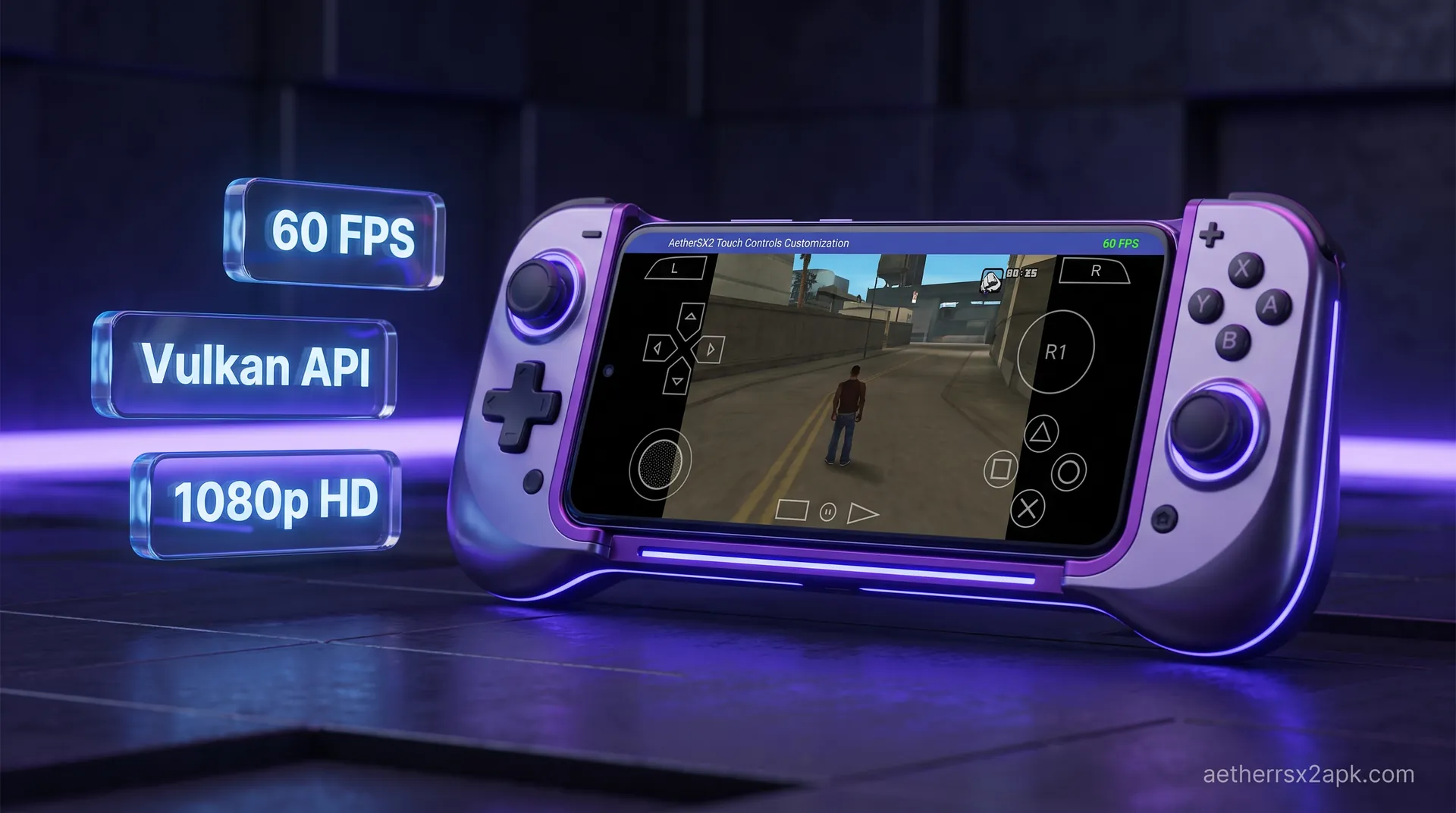
On-screen controls are a DualShock 2 drawn on the glass: two analog sticks, a D-pad, face buttons, shoulders, Start, and Select. They exist so you can play without a Bluetooth pad. They are not a second input method stacked on a gamepad. If a controller is already bound, hide the overlay or a palm will mash Cross while the pad also fires it.
Complete the first-time install walkthrough so a BIOS and at least one game exist. The editor only saves layouts against a running session. For physical pads, use controller setup instead of this page.
On this page ▾
AetherSX2 draws the overlay in screen space, not in the 4:3 game framebuffer. Buttons stay put when you change internal resolution. Widescreen patches only change what the 3D camera renders; they do not move L2/R2.
Default placement assumes a landscape phone:
- Left cluster: D-pad plus left analog
- Right cluster: face buttons plus right analog
- Top edge: L1/R1, L2/R2
- Bottom edge: Start, Select, and the hotkey strip (save state, fast-forward)
Tablets get the same clusters with more empty glass. If your thumbs cannot reach R2 without covering the picture, that is a scale problem, not a renderer problem.
Edit scale, opacity, and dead zones
- Start any game.
- Open the pause overlay (back gesture or the
···handle). - Choose Touchscreen Settings (some builds label it Edit Touch Layout).
- Drag each button. Use the scale slider so Cross is at least as large as your thumb pad, not the size of the original DualShock silkscreen.
- Drop opacity to 40–60% so HUD elements in Kingdom Hearts or GTA remain readable through the buttons.
- Raise analog dead zone if the virtual left stick self-centers poorly and Tidus or Sora walks on his own.
- Tap Save. Back out; do not kill the app from recents before the write finishes.
Do not cover the analog with the D-pad. PS2 games that require analog mode ignore the D-pad for movement; overlapping those two controls makes town exploration in Final Fantasy X feel broken.
Save a layout per game
Global touch settings apply until you override them. Long-press the game in the list → Properties → look for touch / input overrides (wording varies slightly between AetherSX2 4248 and NetherSX2).
Good per-game habits:
- RPGs: enlarge analog, shrink unused R3, keep a fat Start for menus.
- Fighters: enlarge the face-button diamond and D-pad; hide analog if the title is strictly digital.
- Racers: enlarge L2/R2 as analog-style bars if you brake with triggers; see also GTA San Andreas settings for driving maps.
Layouts live in the emulator's inis folder. A NetherSX2 patch over a verified 4248 APK keeps that folder; a fresh install of a random "MMJ" APK does not. Back up before you experiment with forks.
Hide touch when a gamepad is connected
Once Port 1 is bound, set Auto-Hide Touch Controls (or disable the overlay entirely). Otherwise every screen tap is still a virtual button.
If auto-hide fails:
- The pad is in keyboard mode, so AetherSX2 never counted it as Port 1.
- Two input devices are bound and the overlay stays up for Port 2. Clear Port 2 if you are playing solo.
On Android TV the overlay is almost useless with a D-pad remote. Follow the Android TV guide and map a real gamepad.
Common overlay mistakes
| Problem | Why it happens | What to do |
|---|---|---|
| Accidental pause / app exit | Back gesture overlaps Select | Move Select inward; use a pad Back remap only as a hotkey |
| Character creeps forward | Virtual stick dead zone too low | Raise dead zone; clean the screen |
| Cannot hit L2 in a boss | Shoulders sit under the notch or camera hole | Drag L2/R2 below the cutout |
| Layout vanished | Force-stop before Save, or cleared app data | Re-edit; do not clear storage to "fix" lag |
| Double inputs | Pad plus overlay both live | Hide touch; see controller setup |
Touch latency is one frame of compositor delay plus your display. It will never match USB. If a title is unplayable on glass, that is expected for God of War camera fights, not a broken install.
Lab notes: opacity, scale, and hiding on pad connect
On a 6.67" POCO F3, default DualShock scale put L2/R2 under the palm in God of War. In the editor, scale ~85% and opacity ~40% left enough picture to play a dungeon crawl; San Andreas driving still wanted a physical pad. Mapping an Xbox controller and enabling hide-on-connect stopped double-firing Cross.
Layouts save against the running game, not as a global PNG you can import into PPSSPP. For Bluetooth delay after the overlay is gone, that is controller lag, not a touch bug.
AetherSX2's mapper is documented in-app; DualShock 2 layout is Sony's original pad. PPSSPP is a different overlay entirely (comparison hub).
On-screen DualShock is unique to the Android UI. Physical pads still follow DualShock 2 numbering; see PCSX2 wiki for button names and r/EmulationOnAndroid for overlay screenshots. PPSSPP is a different app (ppsspp.org).
Frequently Asked Questions
Can I import a custom PNG skin?
Stock AetherSX2 does not load arbitrary skins the way RetroArch overlays do. You can only scale and move the built-in DualShock set. Third-party APKs that promise "PS2 skins" are usually unofficial forks: skip them and stay on NetherSX2.
Why do touch controls ignore analog pressure?
Glass reports a tap, not DualShock 2 analog face pressure. Games that used analog Square still register a full press.
Do touch controls drain more battery?
A little. The overlay is cheap compared with Vulkan at 3x. The bigger drain is keeping the screen bright so you can see through semi-transparent buttons.
Will a Bluetooth pad and touch work at the same time?
They can, and that is usually the bug. Hide the overlay when a pad is connected so menus do not double-submit.