aethersx2 controller setup
AetherSX2 Controller Setup and Input Lag
By HBKPublished Last updated
Tested on: POCO F3, Xbox Wireless Controller (Bluetooth and USB-C) and IPEGA 9083, Android 13, AetherSX2 v1.5-4248
Quick summary
AetherSX2 controller setup is Android HID plus DualShock mapping. Pair Bluetooth or USB OTG, turn Analog on in Port 1, then hide touch controls. Late inputs at 100% FPS are pad radio lag, not the EE.
- Map: Settings → Controllers → Port 1; Analog on for left stick
- Lag: USB OTG beats Bluetooth; enable TV Game Mode on a set-top box
- Drift: raise dead zone to 12–18% before blaming the game
- Two players: two HID pads; the overlay is not a second DualShock
AetherSX2 treats a connected pad as a DualShock 2: analog sticks, pressure-sensitive face buttons, and the Start/Select pair the original games expect. Most Android Bluetooth and USB HID controllers already send those axes; the work is pairing the device, confirming Android sees it as a gamepad (not a keyboard), then mapping buttons inside the emulator instead of in a third-party overlay.
Finish the baseline install walkthrough and import a legal PS2 BIOS before you map anything. If the games list is empty, the controller screen still opens, but per-game profiles have nowhere to attach. For on-screen buttons instead of a pad, use the touch control editor.
On this page ▾
AetherSX2 reads Android's standard gamepad API. If the system Settings → Bluetooth (or USB) page lists the device as a controller, the emulator can bind it. If Android lists it as a keyboard or mouse, mapping will fail no matter how you tap the AetherSX2 UI.
| Pad type | Typical connection | Notes in AetherSX2 |
|---|---|---|
| Xbox Wireless / Series | Bluetooth or USB-C | Auto-maps well; triggers are analog |
| DualShock 4 / DualSense | Bluetooth or USB | Touchpad is unused; use the PS button as Home |
| Switch Pro / 8BitDo | Bluetooth | Set 8BitDo to D-input or X-input, not keyboard mode |
| IPEGA / generic clones | Bluetooth | Often need a full manual map; analog may be digital |
| Wired USB HID | OTG adapter | Lowest latency; confirm OTG is enabled in phone settings |
Pressure-sensitive PS2 face buttons are approximated: Android pads report digital or analog triggers, not per-face analog. Fighting games that used analog Square/Circle still work, they just lose the original pressure curve.
Pair Bluetooth, USB, and 2.4 GHz dongles
- Put the pad in pairing mode. On DualSense hold Create + PS; on Xbox hold the pairing button until the Xbox logo pulses.
- In Android Settings → Connected devices → Pair new device, select the pad. Grant nearby-device permission if Android 12+ asks.
- Open AetherSX2 or NetherSX2. Do not start a game yet.
- Go to App Settings → Controller Settings → Port 1. Confirm the device name appears under Automatic Mapping. If the list is empty, Android never classified the pad as a gamepad: reconnect or try USB.
- For USB, plug an OTG adapter into the phone first, then the pad. Some phones disable OTG in Battery settings; turn it on or the pad never enumerates.
2.4 GHz dongles (many 8BitDo and cheap clones) show up as USB HID. Plug the dongle, not the pad, into OTG. Wi-Fi on 2.4 GHz can add lag on those radios: see Bluetooth controller lag.
Map DualShock 2 buttons inside AetherSX2
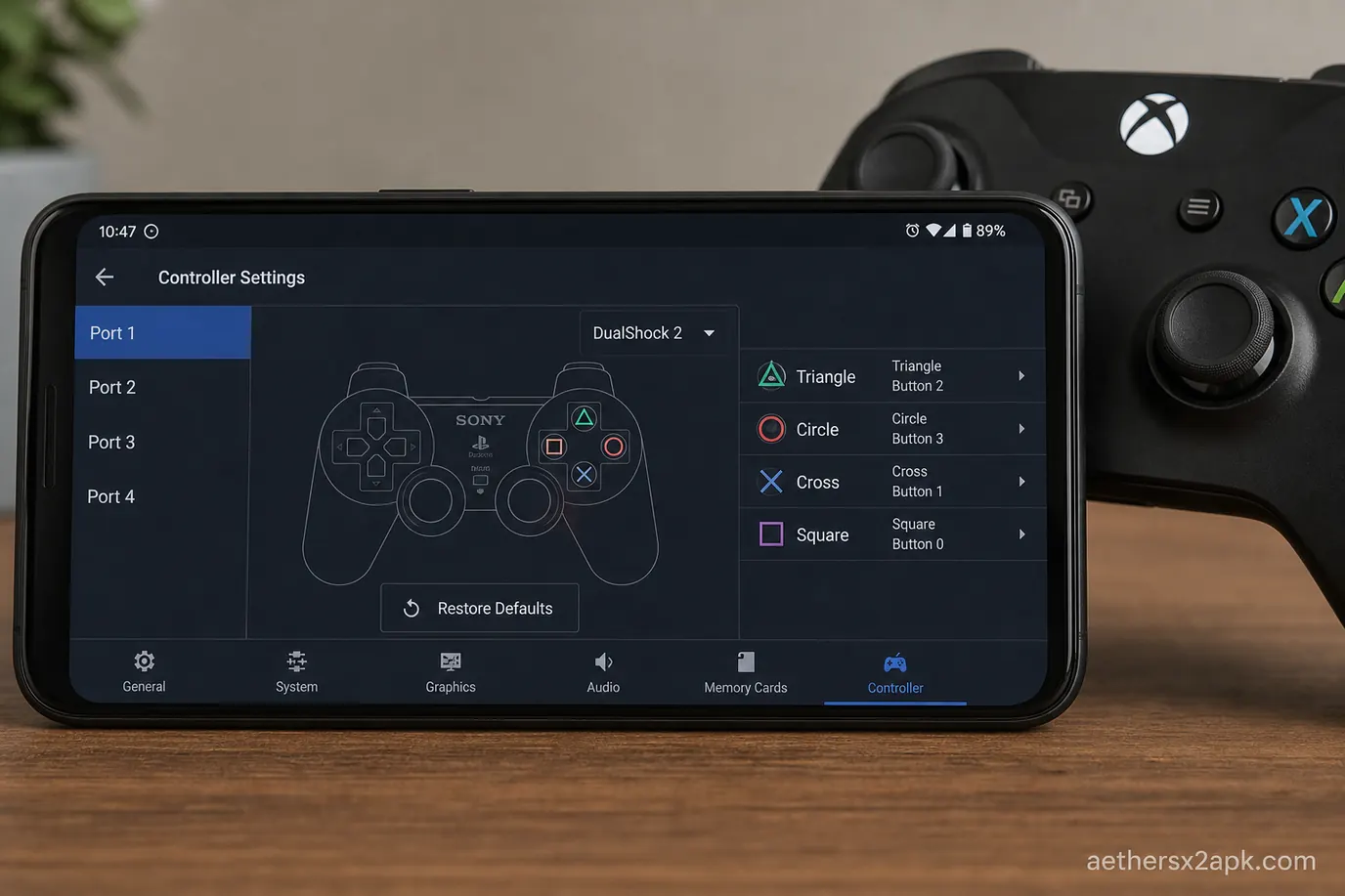
Automatic mapping is enough for Xbox and DualSense layouts. Generic pads need a manual pass:
- Open Controller Settings → Port 1 → Mapping.
- Tap each DualShock slot (Cross, Circle, Square, Triangle, L1–R3, D-pad, Start, Select) and press the matching physical button.
- Map L2 / R2 to analog triggers if your pad has them. Digital shoulder clones work, but analog braking in Gran Turismo will feel binary.
- Leave Analog toggled on. PS2 games that require the DualShock analog LED (the red light on the original pad) need this or the left stick is ignored.
- Save. Start any game, open the in-game pause overlay (back gesture or mapped Hotkey), and confirm the overlay also lists Port 1 as bound.
Do not map the Android Back/Home keys as game buttons. Those close the overlay or the app. Use Start/Select on the pad instead.
Hotkeys worth setting once: Fast Forward, Save State, Load State, and Toggle Analog. Save states belong in the saves hub; map them here so you never need the on-screen overlay during a boss.
Per-game profiles and analog dead zones
Long-press a title in the game list → Properties → Input. That profile overrides the global Port 1 map for one CRC only, so GTA: San Andreas can keep a driving-friendly stick while God of War uses a tighter dead zone.
Useful per-game tweaks:
- Stick dead zone 12–18% for worn Xbox pads that drift in menus.
- Swap DualShock sticks only if a racing title mapped camera to the left stick in a way you dislike; most PS2 games already match modern layouts.
- Disable touch overlay once a pad is bound, or a palm on the screen will still fire virtual Cross.
- Large AetherSX2 overlay scale is irrelevant with a pad; hide it under Graphics / OSD if it still draws.
For living-room play, pair the same pad on a TV box using the Android TV setup so leanback navigation and AetherSX2 mapping do not fight each other.
When input feels late or a stick drifts
| Symptom | Likely cause | Fix |
|---|---|---|
| Buttons work, analog does not | Analog mode off, or pad in keyboard mode | Enable Analog; set 8BitDo to X-input |
| Two characters move at once | Touch overlay still enabled | Hide on-screen controls in Touch Settings |
| 100–200 ms delay | Bluetooth polling + TV Game Mode off | Use USB OTG, or the Bluetooth lag section below |
| Mapping resets after update | Profile stored only in cache | Re-map once; NetherSX2 keeps inis across patches |
| Pad vanishes mid-game | Phone battery saver killed Bluetooth | Exempt AetherSX2 from battery optimization |
If the app crashes when you open Controller Settings on a Mali GPU, that is a driver bug, not a mapping bug. Switch renderer in best settings or check the crash fix.
Bluetooth controller lag
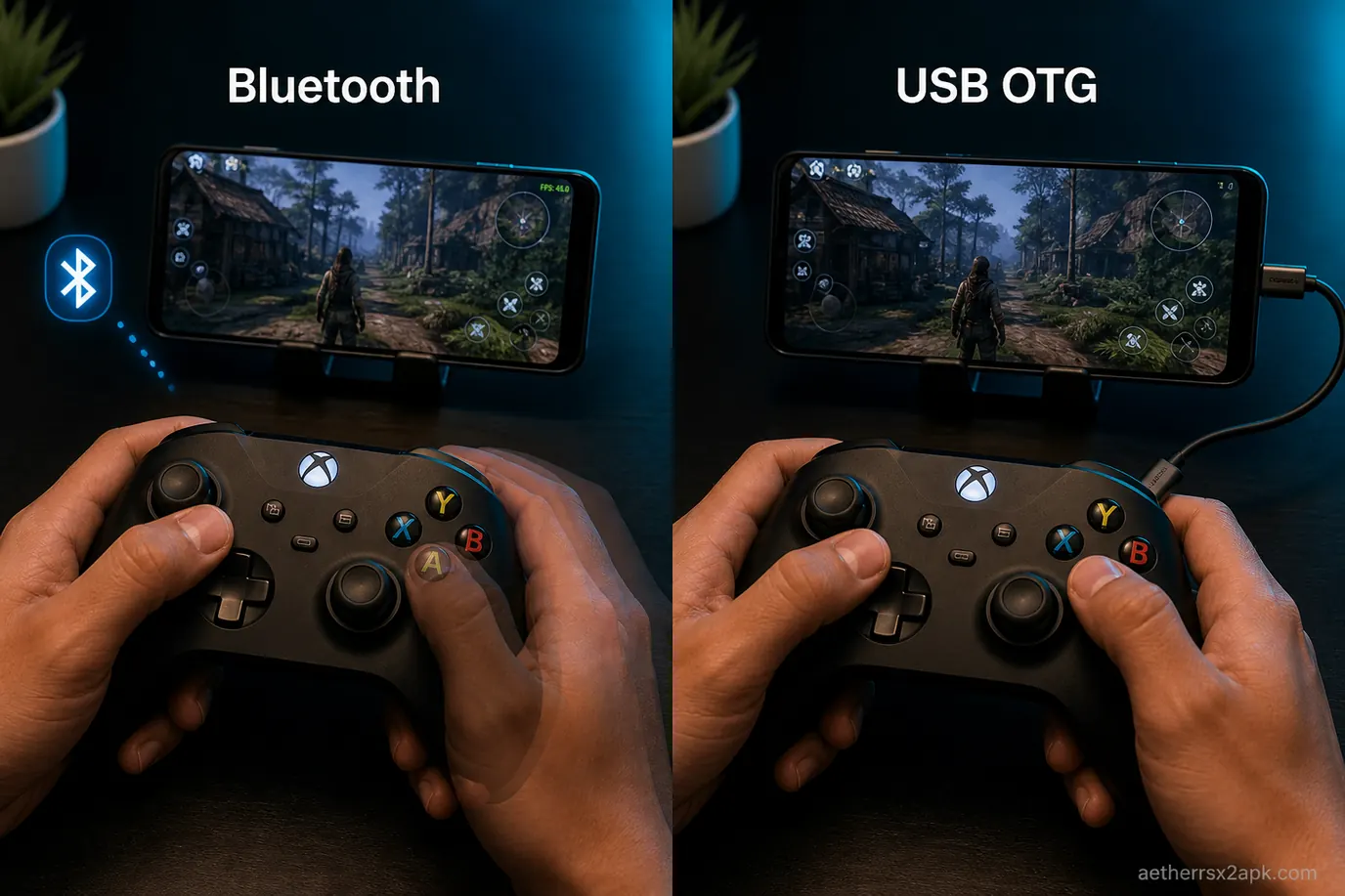
Input lag is almost never the Emotion Engine. The emulator samples Android's gamepad events on the same frame it draws. Extra delay comes from the radio, the display pipeline, or a TV that processes the image after the phone. If buttons feel late but the FPS overlay sits at 100%, stay on this section. If the overlay sits at 70%, that is slow-motion gameplay.
A keyboard-mode clone can feel "laggy" because analog is actually a hat switch with a huge dead zone — fix mapping first (section above).
Quick A/B: plug the same pad over USB OTG. If lag vanishes, Bluetooth is the culprit. If USB still feels sluggish, the display (phone 90 Hz vs game 30/60, or a TV) is adding frames.
Fix the Bluetooth radio first
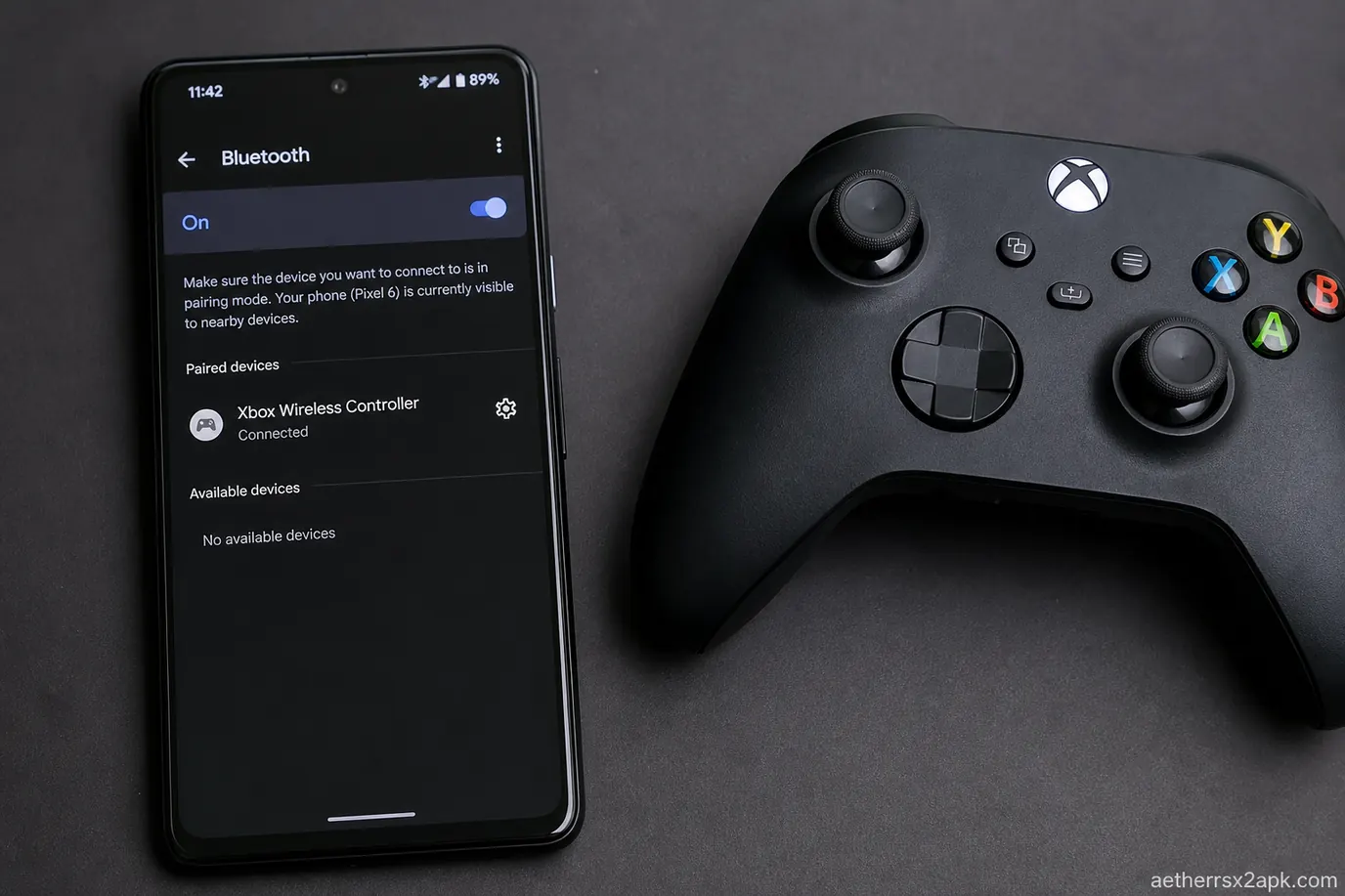
- Forget the device in Android Bluetooth settings and pair it again next to the phone.
- Disable battery optimization for AetherSX2 / NetherSX2 so Doze does not throttle the BT stack.
- Turn off Bluetooth audio devices. Many phones sample pads slower when A2DP is active.
- Prefer 5 GHz Wi-Fi. 2.4 GHz sits on the same band as Bluetooth.
- Sit within a couple of metres.
8BitDo pads have a firmware "Android" mode. Keyboard mode adds an extra HID layer.
Switch to USB OTG when you need floor latency
USB HID polling on Android is typically 4–8 ms. Bluetooth pads often sit at 8–16 ms plus OS scheduling. Fighting games and God of War camera snaps notice that. Enable OTG in the phone's system menu. Use a short cable. Charge-and-OTG adapters sometimes starve the pad.
TV boxes, Game Mode, and emulator frames
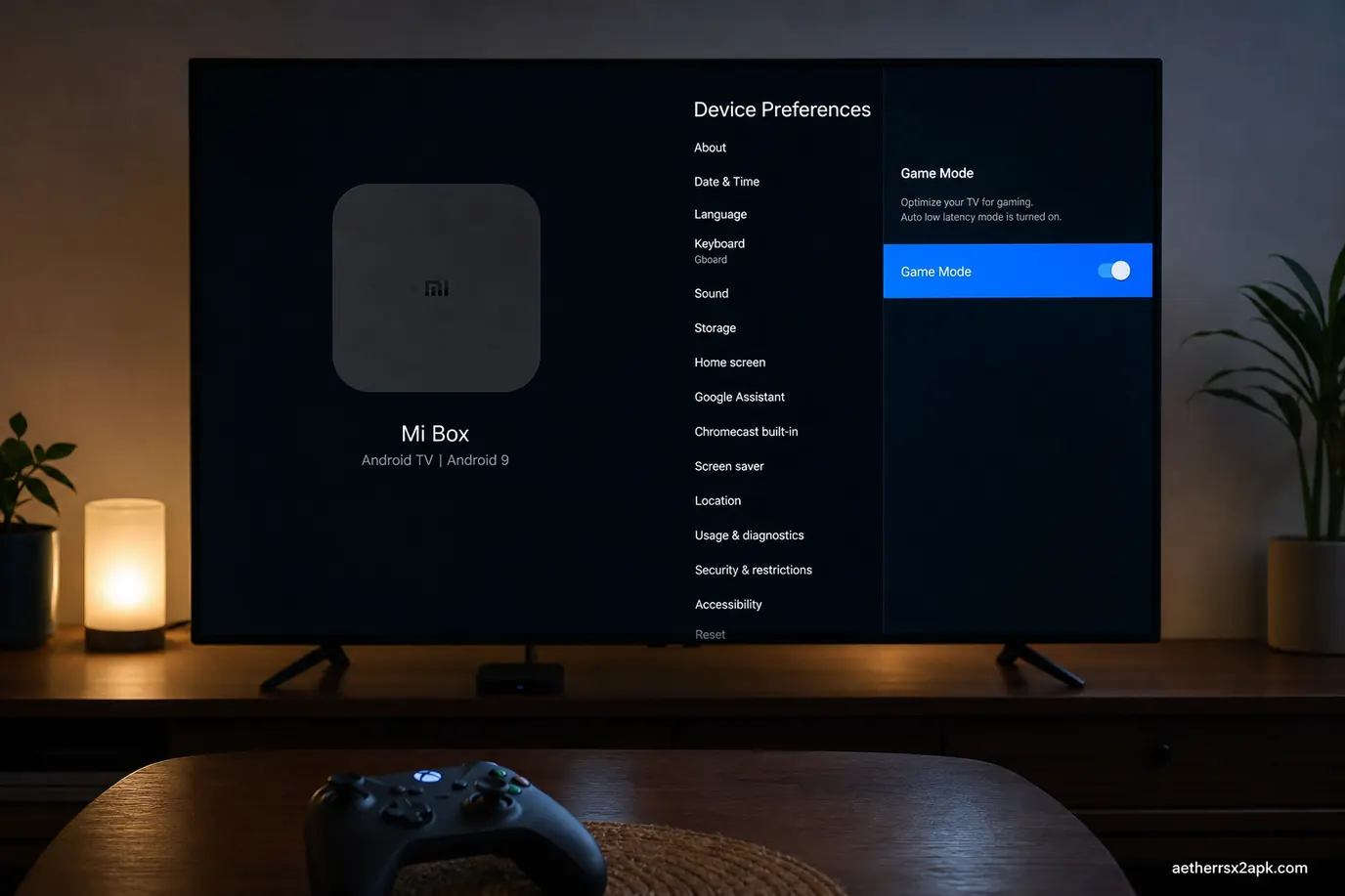
Living-room setups stack delays: box → HDMI → TV processing → Bluetooth across the sofa. Set the TV to Game Mode. Film motion interpolation can add 50–100 ms. Prefer a pad dongle in the TV box USB port. Full living-room path: Android TV.
Inside AetherSX2, VSync on waits for the display. On a 90/120 Hz phone that can add a frame. Optimal Frame Pacing trades smoothness for latency — use it for RPGs; disable it for Tekken. Widescreen patches do not add pad lag.
On this POCO F3, an Xbox Wireless Controller over Bluetooth added a beat of delay in Devil May Cry 3 while FPS stayed at 100%. The same pad on USB-C felt like a wired DualShock. Community pad reports: r/EmulationOnAndroid. Core timing: PCSX2 and the PCSX2 wiki.
Hide glass buttons once a pad is connected: touch controls.
AetherSX2 maps a DualShock 2 onto Android gamepad events. Desktop analog notes: PCSX2 wiki. NetherSX2 does not change the mapper (patch repo).
Frequently Asked Questions
Does AetherSX2 support two players on one phone?
Yes. Bind Port 1 and Port 2 to two separate pads in Controller Settings. Split-screen PS2 titles still render as they did on console; the phone must hold two Bluetooth radios without dropping either device.
Why does Android see my pad but AetherSX2 does not?
The pad is probably in iCade or keyboard mode. Power it off, hold the vendor's "Android / X" combo, and pair again. AetherSX2 never lists keyboards as Port 1 devices.
Can I use a DualShock 2 with a USB adapter?
Most cheap PS2-to-USB adapters appear as generic HID. They work after a full manual map. Analog triggers are often missing; L2/R2 become digital.
Does NetherSX2 reduce controller lag?
No. It uses the same input path. Install it for ads and patches, not for polling rate.
Is DualSense worse than Xbox on Android?
On many phones DualSense over Bluetooth is slightly higher latency than Xbox Wireless. USB-C DualSense is excellent.
Do I need NetherSX2 for controller support?
No. Input comes from the AetherSX2 core. NetherSX2 is still the build to run daily because it removes ads and keeps game patches; mapping files copy across if you keep the same data folder.